In today’s fast-paced world, finding ways to make our daily lives a little smoother and more efficient is always a win. Enter the smart plug – a small, unassuming device that packs a powerful punch, transforming ordinary appliances into intelligent, connected gadgets. Among the contenders in this innovative space, the Wemo Smart Plug has carved out a significant niche, offering a blend of simplicity, versatility, and robust performance that makes it a favorite for many smart home enthusiasts. This guide will dive deep into everything you need to know about the WeMo smart plug, from its core functions to advanced integrations, helping you unlock a smarter, more connected home.
What Exactly is a Smart Plug and Why Do WeMo Smart Plugs Matter?
At its heart, a smart plug is an adapter that fits between your electrical outlet and an appliance, allowing you to control that appliance remotely via a smartphone app or voice commands. Think of it as a bridge, giving your “dumb” devices a voice and a brain. With a WeMo smart plug, for instance, you can switch off a lamp from your couch, schedule your coffee maker to brew every morning before you wake up, or even make it appear like you’re home when you’re on vacation.
WeMo, a brand under Belkin, has consistently delivered reliable and user-friendly smart home solutions. Their smart plugs are known for their compact design, making it easy to plug in multiple devices without blocking adjacent outlets – a common frustration with bulkier alternatives. They’ve also been at the forefront of compatibility, ensuring their devices play well with major smart home ecosystems, making the WeMo smart plug a cornerstone for many seeking a flexible and future-proof smart home setup.
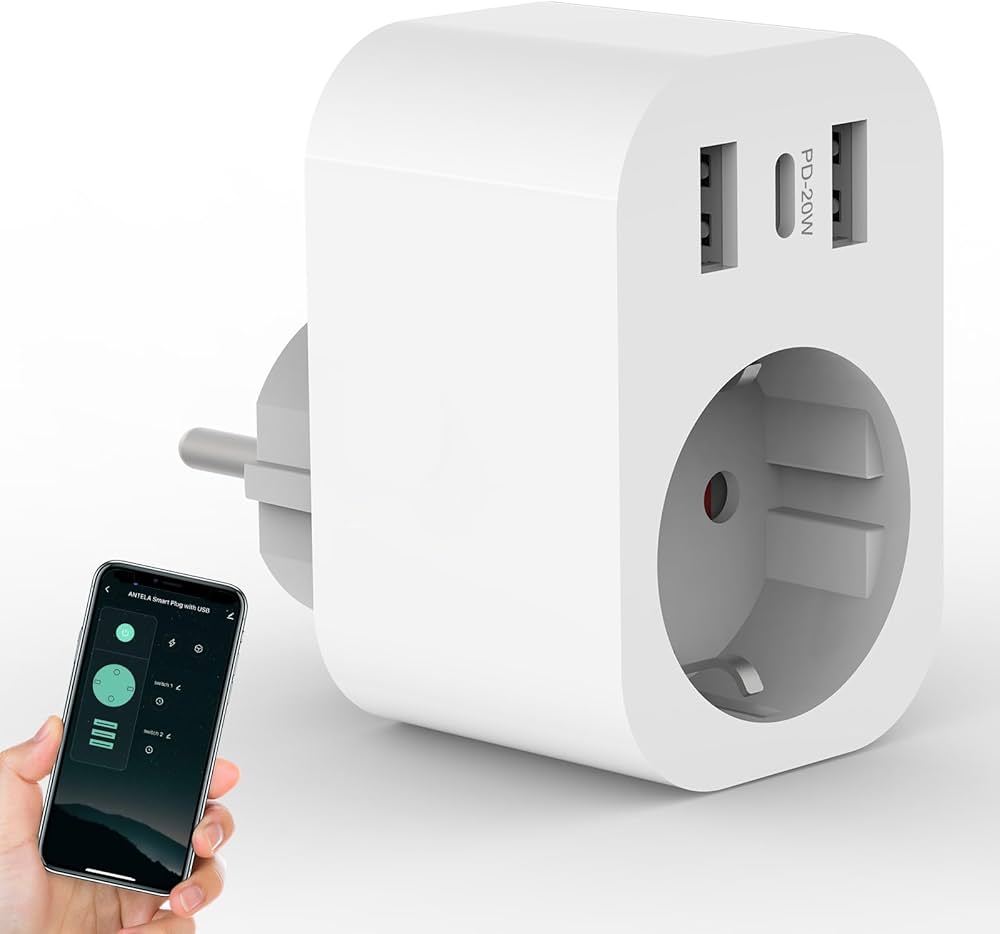
How Does a WeMo Smart Plug Work and What Do You Need to Get Started?
A WeMo smart plug typically connects to your home’s Wi-Fi network, acting as a bridge between your electrical appliances and your smartphone or smart assistant. Most WeMo smart plugs operate on the 2.4GHz Wi-Fi band, which offers a broader range than 5GHz, making it ideal for devices that might be further from your router. You generally won’t need a separate hub for most WeMo WiFi Smart Plugs, as they connect directly to your home network.
To get started, the requirements are wonderfully simple:
- A Wi-Fi Network: Specifically, a 2.4GHz Wi-Fi network for most WeMo plugs.
- A Smartphone or Tablet: To download the WeMo app (for Wi-Fi models) or the Apple Home app (for Thread models) and manage your devices.
- An Electrical Outlet: Where you’ll plug in your WeMo smart plug.
- An Appliance: Anything from a lamp to a fan, a slow cooker, or holiday lights that you wish to control.
Once connected, the plug receives commands from your app or voice assistant over the internet, turning the power to your appliance on or off. It’s like having a remote control for virtually any electrical item in your house, no matter where you are.
Your Step-by-Step Guide to Installing and Using Your WeMo Smart Plug
Setting up a WeMo smart plug is designed to be a straightforward process, letting you enjoy smart control quickly. Here’s how you can get your WeMo smart plug up and running:
- Unpack and Plug In: Take your WeMo smart plug out of its packaging and plug it into any standard electrical outlet. You’ll typically see an indicator light begin to blink, often orange and white, signaling it’s in pairing mode.
- Download the App:
- For the widely compatible WeMo WiFi Smart Plug, download the “WeMo” app from your device’s app store (available for iOS and Android).
- For the WeMo Smart Plug with Thread (which is exclusively for Apple HomeKit), you’ll use the pre-installed “Apple Home” app on your iPhone.
- Initiate Setup:
- Using the WeMo App (for WeMo WiFi Smart Plug): Open the WeMo app, and it should guide you through detecting and connecting to your new plug. Follow the on-screen prompts to connect it to your 2.4GHz Wi-Fi network.
- Using the Apple Home App (for WeMo Smart Plug with Thread): For this model, simply hold your iPhone near the plugged-in smart plug. Your iPhone should automatically detect it and prompt you to add it to HomeKit. You might need to scan the HomeKit setup code, which is usually found on the plug itself or in its packaging. If automatic detection doesn’t occur, open the Apple Home app, tap the ‘+’ icon, and select “Add Accessory,” then scan the code.
- Name Your Plug and Assign Location: Once connected, the app will ask you to name your WeMo smart plug (e.g., “Living Room Lamp,” “Bedroom Fan”) and assign it to a specific room. This makes it easier to manage, especially if you have multiple smart devices.
- Start Controlling: You’re all set! You can now toggle your connected appliance on or off directly from the app. You’ll hear a satisfying click as the plug responds to your commands.
Unlocking the Full Potential: Tips and Tricks for Your WeMo Smart Plug
While the basic on/off function is incredibly useful, WeMo smart plugs truly shine when you explore their advanced features.
- Set Schedules and Timers: One of the most popular uses is automation. Schedule your outdoor lights to turn on at dusk and off at dawn, or have your slow cooker start preparing dinner while you’re at work. The WeMo app, and Apple Home app for Thread users, allows for robust scheduling options.
- Utilize “Away Mode”: Many WeMo smart plugs include an “Away Mode” feature. When activated, the plug will randomly turn connected lights on and off throughout the day or evening, making it appear as though someone is home. This is a fantastic security feature, deterring potential intruders when you’re traveling.
- Physical Control Button: Don’t forget the manual override! Every WeMo smart plug has a physical button on the side that allows you to turn the connected device on or off directly at the outlet. This is handy if your Wi-Fi is down or if someone in your household prefers traditional controls.
- Group Devices: If you have multiple WeMo smart plugs or other smart home devices, group them together in your app. This allows you to control several lights in a room with a single command or tap.
“Smart plugs like WeMo are game-changers for home automation,” says Mark Jensen, an IoT Solutions Architect. “Their ease of use combined with robust scheduling and security features makes them an indispensable part of a modern smart home, offering both convenience and peace of mind.”
Beyond Convenience: The Benefits of WeMo Smart Plugs for Energy, Safety, and More
Investing in WeMo smart plugs brings a host of advantages that extend far beyond simply turning things on and off remotely.
- Energy Savings: By scheduling devices to turn off when not needed or ensuring you haven’t left an appliance running accidentally, WeMo smart plugs can help reduce standby power consumption, leading to noticeable savings on your electricity bill over time. You gain greater control over your energy usage, fostering more conscious consumption habits.
- Enhanced Safety: Ever worried if you left your curling iron on, or a space heater running? With a WeMo smart plug, you can check and turn off devices remotely, offering peace of mind and preventing potential hazards. The ability to control appliances from anywhere means you’re always in charge of your home’s electrical safety.
- Unparalleled Convenience: Imagine waking up to freshly brewed coffee, or walking into a well-lit home after dark without lifting a finger. WeMo smart plugs make these daily luxuries a reality, streamlining your routine and adding an effortless layer of comfort to your life.
- Increased Security: As mentioned with “Away Mode,” these plugs can be a vital component of your home security strategy. Making your home look occupied can deter burglars, adding an extra layer of protection when you’re away.
Advanced Features and Seamless Smart Home Integration with WeMo
WeMo smart plugs are designed to be team players in the smart home ecosystem, offering broad compatibility that enhances their utility.
- Voice Assistant Integration: Most WeMo WiFi Smart Plugs seamlessly integrate with major voice assistants, including Amazon Alexa, Google Assistant, and Apple HomeKit (Siri). This means you can simply use voice commands like “Hey Google, turn on the living room lights” or “Alexa, turn off the fan” for hands-free control.
- IFTTT (If This Then That) Support: WeMo also supports IFTTT, a powerful automation service that allows you to create custom applets. For example, you could set up a rule that says “If my doorbell rings, then flash the lamp connected to my WeMo smart plug.” The possibilities for creative automation are vast.
- Understanding WeMo Models and Compatibility: It’s important to note the distinction between WeMo’s offerings:
- WeMo WiFi Smart Plug: This model offers broad compatibility across Alexa, Google Home, and Apple HomeKit, making it a versatile choice for most smart homes. It connects directly to your 2.4GHz Wi-Fi network and works with the WeMo app.
- WeMo Smart Plug with Thread: This is a newer model leveraging Thread technology for a more responsive and reliable connection within a mesh network. However, a critical point to remember is that the WeMo Smart Plug with Thread is exclusively compatible with Apple HomeKit. It does not work with the WeMo app itself, nor with Google Nest, Amazon Echo, or other non-Apple ecosystems. If your smart home is built around Apple devices and HomeKit, this plug offers excellent performance and ease of integration via the Apple Home app.
While some earlier or basic WeMo models might lack energy monitoring features, their core functionality of robust remote control and scheduling remains consistently strong across the product line, making them excellent choices depending on your specific smart home ecosystem.
Frequently Asked Questions About WeMo Smart Plugs
Q: Do WeMo smart plugs require a hub?
A: Most WeMo WiFi Smart Plugs do not require a separate hub; they connect directly to your home’s 2.4GHz Wi-Fi network. However, for remote control of WeMo plugs integrated with Apple HomeKit, you’ll need an Apple Home hub device like an Apple TV 4K or HomePod Mini. The WeMo Smart Plug with Thread also leverages your HomeKit hub for its operation.
Q: Can I use my WeMo smart plug with a 5GHz Wi-Fi network?
A: No, most WeMo smart plugs, particularly the WeMo WiFi Smart Plug, are designed to connect to 2.4GHz Wi-Fi networks only. Ensure your router is broadcasting a 2.4GHz signal during setup.
Q: Does the WeMo smart plug monitor energy usage?
A: While many smart plugs on the market offer energy monitoring, many standard WeMo smart plug models (like the WeMo WiFi Smart Plug) typically do not include this feature. If energy monitoring is a high priority, you may need to check the specific model specifications or explore other brands that prioritize this functionality.
Q: Is the WeMo Smart Plug with Thread compatible with Alexa or Google Home?
A: No, the WeMo Smart Plug with Thread is designed exclusively for the Apple HomeKit ecosystem. It will not integrate with Amazon Alexa, Google Home, or the standard WeMo app. It’s best suited for users fully committed to an Apple-centric smart home.
Q: Can I control my WeMo smart plug when I’m away from home?
A: Yes, absolutely! This is one of the primary benefits. As long as your smart plug is connected to your home Wi-Fi and your smartphone has an internet connection, you can control your WeMo smart plug from anywhere in the world using the WeMo app (for Wi-Fi models) or the Apple Home app (for HomeKit/Thread models).
Q: What kind of appliances can I use with a WeMo smart plug?
A: You can use a WeMo smart plug with almost any electrical appliance that plugs into a standard wall outlet, as long as it doesn’t exceed the plug’s maximum amperage rating (typically 15 amps). Common uses include lamps, fans, coffee makers, humidifiers, holiday lights, and charging devices. Avoid high-power appliances like electric water heaters or ovens.
Conclusion
The WeMo smart plug stands as a testament to how small innovations can make a significant impact on our daily lives. Whether you’re looking to save energy, boost your home security, or simply add a layer of convenience to your routine, a WeMo smart plug offers a reliable and accessible solution. With its compact design, broad compatibility (for Wi-Fi models), and user-friendly features, it’s an excellent entry point into the world of smart homes or a valuable addition to an existing setup. Embrace the simplicity and power of the WeMo smart plug, and experience the difference a truly connected home can make.