In an increasingly connected world, the dream of a truly smart home is no longer a futuristic fantasy but an accessible reality. At the heart of this transformation lies the humble yet powerful smart plug. Among the myriad options, the Vesync Smart Plug stands out as a reliable and user-friendly choice for anyone looking to dip their toes into home automation or expand an existing setup. Imagine controlling your lights, coffee maker, or fan with just your voice or a tap on your smartphone, no matter where you are. This isn’t just about convenience; it’s about energy efficiency, enhanced security, and a lifestyle designed around your comfort.
What is a Smart Plug and Why Are They Essential for Modern Homes?
At its core, a smart plug is an adapter that fits between your wall outlet and any electronic device, instantly transforming it into a “smart” appliance. It connects to your home Wi-Fi network, allowing you to control the connected device remotely via an app on your smartphone or through voice commands. These ingenious devices are essential for modern homes because they unlock a world of possibilities for automation, energy management, and peace of mind. They eliminate the need for expensive smart appliances, making smart home technology affordable and accessible. From scheduling your lamp to turn on before you arrive home to ensuring your curling iron is off after you leave, smart plugs empower you with control and efficiency.
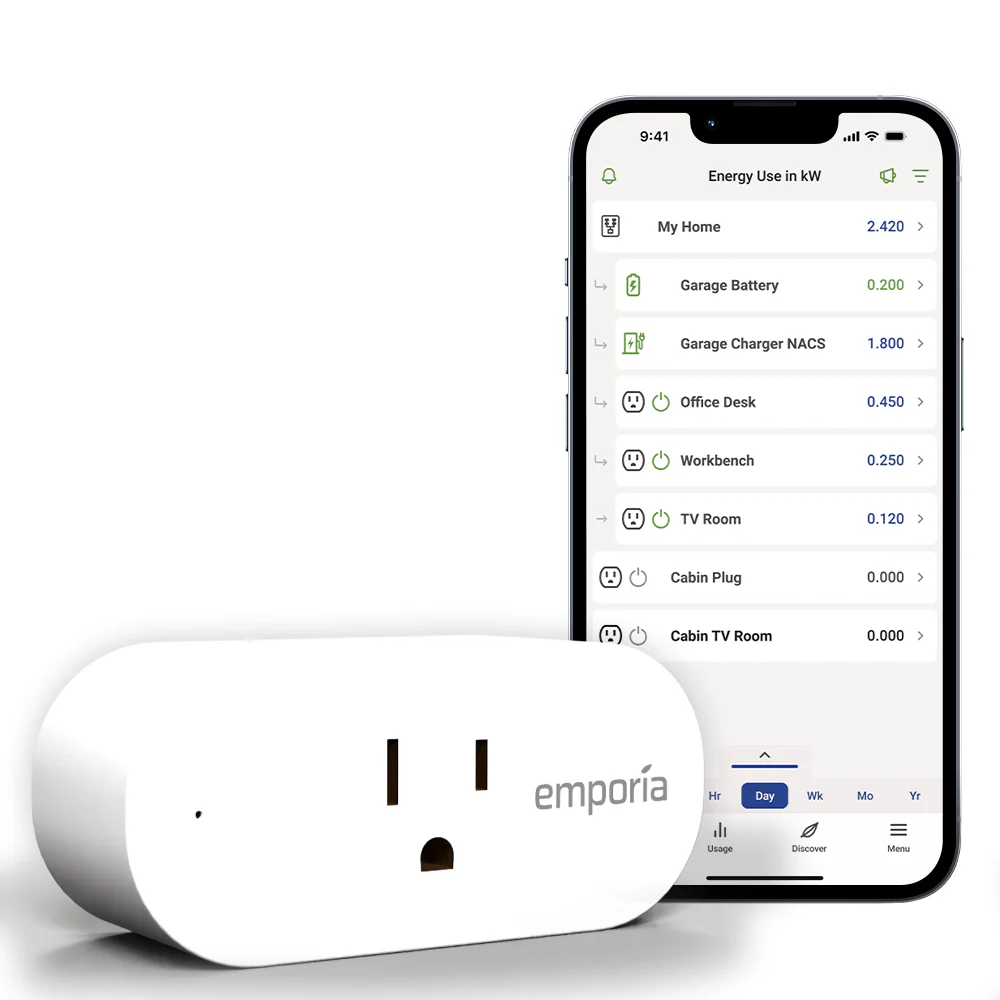
Introducing the Vesync Smart Plug: Features that Elevate Your Home
Vesync smart plugs, often associated with the Etekcity brand, are designed with the user in mind, offering a robust set of features that seamlessly integrate into your daily life. They are more than just on/off switches; they are command centers for your traditional devices.
Core Functionalities for Everyday Convenience
The cornerstone of any good smart plug is its ability to offer remote control, and Vesync excels here. With the intuitive VeSync app, you can:
- Remote Control: Turn devices on or off from anywhere in the world, as long as you have an internet connection. Forgot to turn off the bedroom light? No problem, a quick tap in the app takes care of it.
- Scheduling and Timers: Set custom schedules for your appliances to power on and off automatically. Imagine waking up to freshly brewed coffee or having your living room lights greet you at sunset. Timers are perfect for charging devices or ensuring things turn off after a set period.
Energy Monitoring: Save More, Live Smarter
Many Vesync smart plug models come equipped with energy monitoring capabilities. This feature is a game-changer for eco-conscious homeowners and anyone looking to cut down on electricity bills. The VeSync app provides real-time data on how much power each connected device is consuming, allowing you to identify energy vampires and make informed decisions about your usage. By understanding your consumption patterns, you can optimize schedules and significantly reduce standby power waste.
Seamless Voice Control Integration
One of the most appealing aspects of the Vesync smart plug ecosystem is its compatibility with leading voice assistants. Vesync smart plugs work effortlessly with both Amazon Alexa and Google Assistant, giving you hands-free control over your devices. Simply connect your VeSync account to your preferred voice assistant, and you can say commands like, “Alexa, turn on the living room lamp” or “Hey Google, turn off the fan.” This integration adds an unparalleled layer of convenience, especially when your hands are full or you’re simply relaxing on the couch.
Thoughtful Extra Features
Some Vesync smart plug models also include thoughtful additions like a built-in automatic night light. This low-power, dusk-to-dawn sensor-enabled light provides subtle illumination in hallways or dimly lit areas, ensuring you can navigate your home safely at night without fumbling for light switches. Furthermore, Vesync smart plugs are built with safety in mind, featuring surge, overload, and overcurrent protection to safeguard your connected devices.
Getting Started: How Vesync Smart Plugs Work and What You Need
Getting your Vesync smart plug up and running is designed to be straightforward, turning any regular outlet into a smart one in minutes. At its heart, the process relies on a few key components: the smart plug itself, your home Wi-Fi network, and the dedicated VeSync app.
The Essentials for Your Smart Setup
Before you dive in, make sure you have these prerequisites:
- A Vesync Smart Plug: Naturally, this is the star of the show!
- A Stable 2.4 GHz Wi-Fi Network: This is crucial. Vesync smart plugs, like many smart home devices, operate exclusively on the 2.4 GHz band of your Wi-Fi network. While many modern routers support both 2.4 GHz and 5 GHz, they sometimes combine them under a single network name. If you encounter connection issues, you might need to access your router settings to ensure your 2.4 GHz network has a distinct name.
- The VeSync App: Downloadable from the Apple App Store (for iOS 8.0 or higher) or Google Play Store (for Android 4.3 or higher), this free app is your command center.
- A Smartphone or Tablet: To install and control the app.
The smart plug itself simply plugs into any standard wall socket. Once powered, it establishes a connection with your Wi-Fi network, allowing the VeSync app on your phone to communicate with it from anywhere. This seamless communication transforms mundane devices into intelligent, controllable components of your smart home.
Step-by-Step Setup: Installing and Using Your Vesync Smart Plug
Setting up your Vesync smart plug might seem intimidating at first, but it’s a remarkably intuitive process designed to get you connected quickly. Follow these steps to begin your smart home journey:
1. Download and Register for the VeSync App
First things first, grab your smartphone or tablet and download the free VeSync app. Search for “VeSync” in your device’s app store. Once downloaded, open the app and create a new account. You’ll typically need to provide an email address and set a password. If you already have a VeSync account for other devices, simply log in.
2. Plug in Your Smart Plug
Find an available wall socket and plug in your Vesync smart plug. Most models will display a solid blue light (or another indicator) once powered on and ready for connection. If no light appears, or it’s not the expected color, consult the user manual for troubleshooting or try a different outlet.
3. Add Your Device in the VeSync App
Open the VeSync app. Tap the “+” icon (usually in the top right corner) to add a new device. The app will often automatically search for nearby smart plugs. If it doesn’t immediately find your device, you might need to select “Outlet & Switch” or “Smart Plug” from a list of device types.
4. Connect to Your 2.4 GHz Wi-Fi Network
This is the most critical step. The app will prompt you to connect the smart plug to your home Wi-Fi network. Ensure your smartphone is connected to your 2.4 GHz Wi-Fi network before proceeding. Enter your Wi-Fi network name (SSID) and password when prompted. The smart plug will then attempt to connect.
5. Name Your Smart Plug and Start Automating
Once successfully connected, you’ll be able to give your smart plug a custom name, like “Living Room Lamp” or “Coffee Maker.” This makes it easy to identify and control, especially if you have multiple plugs. After naming, you can immediately start controlling your connected appliance via the app, setting schedules, or linking it to your voice assistant.
Troubleshooting Tip: The 2.4 GHz Wi-Fi Hurdle
If your Vesync smart plug struggles to connect, the 2.4 GHz Wi-Fi requirement is almost always the culprit. Many modern routers use a single name for both 2.4 GHz and 5 GHz bands, automatically steering devices to the “best” one. If your phone connects to 5 GHz during setup, the plug won’t connect.
- Solution 1: Separate Your Wi-Fi Bands: Access your router’s administration page (often via its IP address in a web browser) and rename your 2.4 GHz and 5 GHz networks with distinct names (e.g., “MyHome_2.4GHz” and “MyHome_5GHz”). Then, connect your phone to the 2.4 GHz network before configuring the smart plug.
- Solution 2: APN Mode: If standard setup fails, the VeSync app often offers an “APN mode” for connection. This usually involves pressing and holding the smart plug’s power button until its light blinks slowly, then connecting your phone directly to the plug’s temporary Wi-Fi network before returning to the VeSync app to complete the setup.
Tips and Tricks to Maximize Your Vesync Smart Plug’s Utility
Once your Vesync smart plugs are integrated into your home, you’ll discover a wealth of ways to enhance your daily life. It’s not just about basic control; it’s about making your home truly work for you.
- Group Devices for Seamless Control: Have multiple lamps in your living room? Use the VeSync app or your voice assistant to group them. A single command like “Alexa, turn on living room lights” can activate all grouped plugs simultaneously, creating instant ambiance.
- Automate Routines for Effortless Living: Go beyond simple schedules. Create smart routines that respond to your daily habits. Imagine your morning coffee maker springing to life as your alarm rings, or your bedside lamp slowly fading on as you prepare for bed. These small automations add up to significant convenience.
- Leverage Energy Monitoring for Real Savings: If your Vesync smart plugs offer energy monitoring, dive into the data! Identify devices that consume power even when not in active use. Scheduling these “energy vampires” to power off completely overnight or when you’re away can lead to noticeable savings on your electricity bill.
- Enhance Home Security with “Away Mode”: Connect lamps and lights to Vesync smart plugs and set schedules that mimic human presence when you’re away. Randomize the timings slightly through the app to make it even more convincing, deterring potential intruders and giving you peace of mind.
- Create a Dedicated IoT Network: For enhanced security and to improve network performance, consider setting up a separate Wi-Fi network (if your router supports it) exclusively for your smart home devices. This isolates your main network and can prevent potential security vulnerabilities from affecting your primary devices.
- Use the Countdown Timer for Specific Tasks: Need to charge a device for an hour or run a fan for 30 minutes? The countdown timer feature is perfect for these situations, ensuring devices automatically switch off after the desired duration, preventing overcharging or unnecessary energy use.
Beyond Convenience: The Benefits of Vesync Smart Plugs for a Smarter Lifestyle
Vesync smart plugs offer far more than just the ability to turn things on and off remotely. They bring a suite of tangible benefits that elevate your home living experience, addressing concerns about energy consumption, safety, and overall convenience.
Achieving Energy Efficiency with Intelligence
One of the most compelling advantages of integrating Vesync smart plug technology is its potential for significant energy savings. With features like scheduling and energy monitoring on select models, you gain unprecedented control over your household’s power consumption. You can precisely schedule high-wattage appliances, like space heaters or air conditioners, to run only when needed, avoiding unnecessary power drain. The energy monitoring feature allows you to identify “vampire” devices that silently consume power even when seemingly off, enabling you to eliminate standby waste and watch your electricity bills shrink.
Enhanced Safety and Peace of Mind
Smart plugs contribute meaningfully to a safer home environment. Forgotten appliances can be a fire hazard, but with a Vesync smart plug, you can remotely check and switch off devices like curling irons, straighteners, or even unattended holiday lights from anywhere. Many Vesync models also incorporate built-in overcurrent and overload protection, automatically cutting power if a device draws too much current, protecting both your appliance and your home’s electrical system. This layer of protection adds considerable peace of mind, especially when you’re away.
Unmatched Convenience and Accessibility
The sheer convenience offered by Vesync smart plugs transforms daily routines. Imagine stepping into a perfectly lit home, greeted by the aroma of freshly brewed coffee, all orchestrated by your smart plugs before you even walk through the door. Voice control integration with Alexa and Google Assistant means you can manage devices hands-free, which is invaluable when you’re cooking, holding a baby, or simply don’t want to get up. For individuals with mobility challenges, smart plugs offer a significant boost in accessibility, allowing them to control lights and appliances without physical effort.
“Smart plugs like Vesync are foundational to modern smart homes,” says Dr. Elena Rodriguez, a leading expert in smart home ecosystems. “They provide a low-barrier entry to automation, empowering users to make their existing devices intelligent, leading to noticeable improvements in comfort, efficiency, and safety without needing to replace every appliance.”
Integrating with Your Smart Home Ecosystem: Advanced Vesync Capabilities
Vesync smart plugs are designed to be team players, fitting seamlessly into broader smart home ecosystems and enhancing their capabilities. Their compatibility goes beyond simple app control, extending to robust voice assistant integration and potential for more complex automation scenarios.
Deep Integration with Amazon Alexa and Google Home
The true magic happens when your Vesync smart plugs join forces with voice assistants. Once connected, your smart plugs become controllable through simple voice commands via your Amazon Echo or Google Nest devices. This means:
- Hands-Free Control: Turn lights on or off, start a fan, or power down devices without lifting a finger.
- Routines and Scenes: Create sophisticated routines within the Alexa or Google Home apps that trigger multiple actions. For instance, a “Good Morning” routine could simultaneously turn on your bedside lamp, start the coffee maker plugged into a Vesync smart plug, and play your favorite news podcast.
- Away Mode: Simulate occupancy by scheduling lights or other devices to turn on and off randomly throughout the day while you’re away, enhancing home security.
Exploring IFTTT and Beyond
While specific support can vary by model, many smart home devices, including some associated with Vesync, can integrate with “If This Then That” (IFTTT). IFTTT allows you to create custom “applets” that link different smart devices and services together. For example, you could set up an applet that automatically turns on a lamp connected to your Vesync smart plug when a specific weather condition occurs, or when you cross a certain geofence. For the technically inclined, communities around platforms like Home Assistant have also found ways to integrate Vesync devices, enabling advanced local control and data logging for energy monitoring.
Frequently Asked Questions about Vesync Smart Plugs
What is the VeSync app?
The VeSync app is the dedicated mobile application for controlling Vesync smart plugs and other Vesync-compatible smart home devices. It allows you to set up devices, control them remotely, create schedules, monitor energy usage (on compatible models), and integrate with voice assistants.
Do Vesync smart plugs require a hub?
No, Vesync smart plugs do not require a separate smart home hub. They connect directly to your home’s 2.4 GHz Wi-Fi network, making them easy to set up and use right out of the box.
What Wi-Fi band do Vesync smart plugs use?
Vesync smart plugs exclusively use the 2.4 GHz Wi-Fi band. It’s important to ensure your smartphone is connected to the 2.4 GHz network during the initial setup process for a smooth connection.
Can I control my Vesync smart plug with Alexa or Google Home?
Yes, Vesync smart plugs are compatible with both Amazon Alexa and Google Assistant. After setting up your smart plugs in the VeSync app, you can link your VeSync account to your Alexa or Google Home app to enable voice control.
Are Vesync smart plugs safe?
Yes, Vesync smart plugs are designed with safety features such as overcurrent and overload protection, which automatically cut power if a device draws too much current, helping to protect your appliances and home. They often carry certifications like ETL or FCC, indicating they meet certain safety standards.
How can I save energy with a Vesync smart plug?
You can save energy by using the scheduling feature to ensure devices are only on when needed, and by utilizing the energy monitoring function (available on some models) to identify and reduce consumption from “vampire” devices or to optimize run times for high-usage appliances.
What if my Vesync smart plug isn’t connecting?
If your Vesync smart plug isn’t connecting, first ensure your smartphone is connected to a 2.4 GHz Wi-Fi network. You might need to temporarily separate your router’s 2.4 GHz and 5 GHz bands in your router settings. Additionally, try the APN mode setup option in the VeSync app if the standard connection method fails.
Conclusion
The Vesync smart plug is an excellent entry point into the world of smart home automation, offering a blend of affordability, ease of use, and practical features. By transforming your ordinary appliances into intelligent, controllable devices, Vesync smart plugs empower you to create a home that’s more convenient, energy-efficient, and secure. Whether you’re looking to simplify your daily routines, cut down on electricity bills, or simply enjoy the modern comfort of a connected environment, Vesync smart plugs offer a reliable and accessible solution. So, why wait? Take the leap and discover how a little plug can make a big difference in your smart home journey. Try them out and share your experience; the future of smart living is literally at your fingertips.