In the rapidly evolving landscape of smart home technology, smart plugs have emerged as a cornerstone, transforming ordinary appliances into intelligent, controllable devices. From automating your morning coffee to remotely turning off forgotten lights, these unassuming gadgets offer unparalleled convenience and efficiency. Yet, as our homes become increasingly connected, a common question arises: are smart plugs 5GHz Wi-Fi compatible, and does it even matter?
What Are Smart Plugs and Why Wi-Fi Matters?
At its core, a smart plug is a device that fits between an electrical outlet and an appliance, allowing you to control the appliance’s power supply remotely via a smartphone app or voice commands. They bring a touch of intelligence to your traditional devices, enabling scheduling, timer functions, and even energy monitoring. The magic largely happens over your home’s Wi-Fi network, which acts as the communication backbone for these devices.
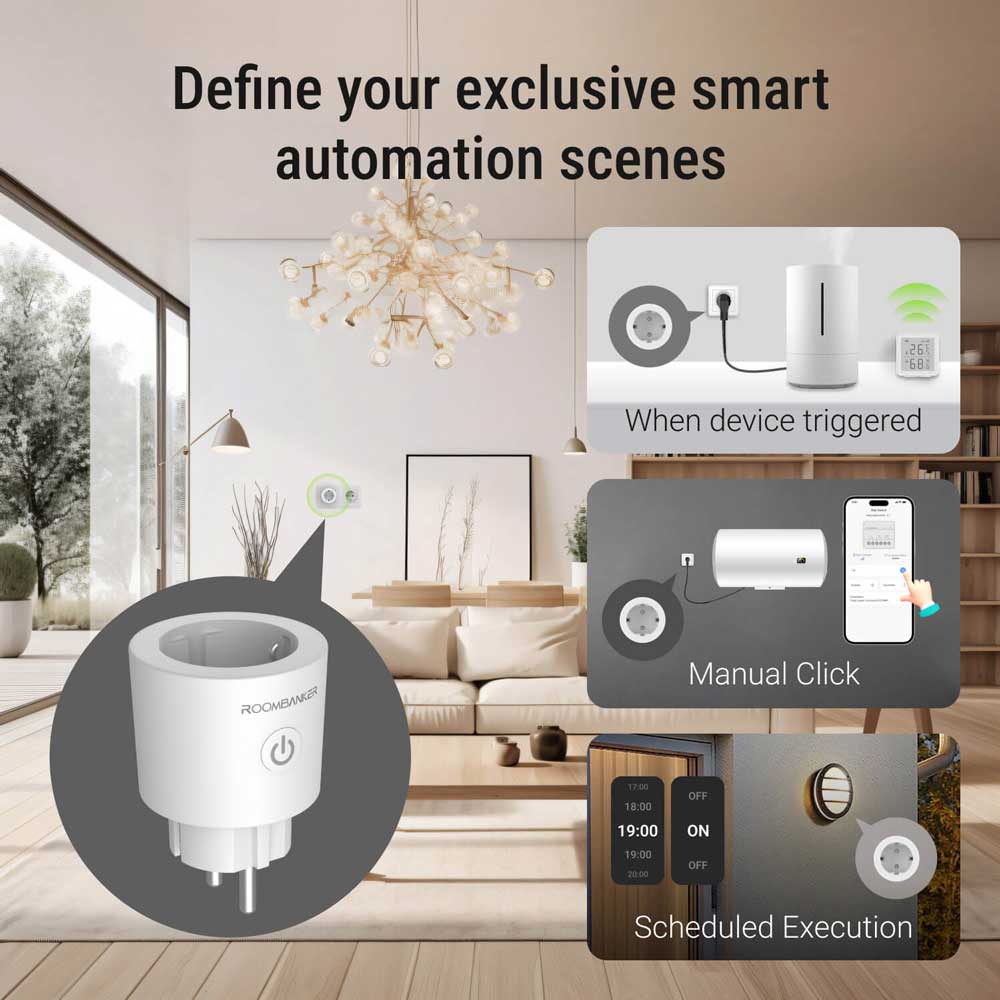
For years, the vast majority of smart plugs, along with many other smart home devices like light bulbs and thermostats, have predominantly relied on the 2.4GHz Wi-Fi band. This isn’t an oversight; it’s a strategic choice driven by several key factors. The 2.4GHz band offers a longer range and superior ability to penetrate physical obstructions like walls and floors, which is crucial for devices spread throughout a home. Think about it: your smart plug might be in the living room, while your router is tucked away in a study. A 2.4GHz signal is simply better at reaching those far-flung corners. Moreover, smart plugs don’t require high bandwidth; they only send small packets of data for simple commands like “on” or “off.” Finally, components for 2.4GHz Wi-Fi are generally more cost-effective, helping manufacturers keep smart plugs affordable for consumers.
Are Smart Plugs 5GHz Wi-Fi Compatible a Reality?
While the 2.4GHz band has been the workhorse for smart plugs, the market is slowly seeing the emergence of smart plugs that support 5GHz Wi-Fi, or even dual-band (2.4GHz and 5GHz) connectivity. Yes, they exist, but the options are still quite limited compared to their 2.4GHz counterparts.
Brands like EIGHTREE and GHome offer smart plugs that claim dual-band compatibility, often operating on the Tuya smart home platform. However, even with these, there can be specific quirks. For instance, some users have reported that during setup, their phone needs to be actively connected to the 5GHz band for the smart plug to successfully connect to it. Older models, like the Broadlink SP4D-US, also offered 5GHz support but were limited to older Wi-Fi standards (802.11b/g/n), meaning they might not work with newer routers that require 802.11ac for their 5GHz connections.
“The smart home market is always pushing boundaries, but with smart plugs, the need for 5GHz has remained a niche,” says Isabella Chen, a leading smart home technology analyst. “Manufacturers prioritize reliability, range, and cost-effectiveness, which 2.4GHz delivers perfectly for most plug-and-play scenarios. When you see 5GHz compatibility, it’s often addressing very specific network conditions rather than a universal performance upgrade for these devices.”
2.4GHz vs. 5GHz: A Closer Look for Smart Devices
Understanding the fundamental differences between these Wi-Fi bands is key to making informed decisions for your smart home.
| Feature | 2.4GHz Wi-Fi | 5GHz Wi-Fi |
|---|---|---|
| Speed | Slower data transfer rates | Faster data transfer rates |
| Range | Longer range, better wall/obstacle penetration | Shorter range, struggles with obstacles |
| Interference | More prone to interference (microwaves, Bluetooth) | Less interference, more channels |
| Congestion | More congested, fewer non-overlapping channels | Less congested, more non-overlapping channels |
| Compatibility | Supported by almost all Wi-Fi devices | May not be available on older smart home devices |
| Bandwidth Needs | Sufficient for low-bandwidth devices (smart plugs) | Ideal for high-bandwidth activities (streaming, gaming) |
For most smart plugs, 2.4GHz is generally the better-suited band. Its superior range ensures that your plugs can communicate reliably even if they’re far from your router or behind multiple walls. The limited bandwidth of 2.4GHz is a non-issue, as smart plugs only send tiny amounts of data. While 5GHz offers faster speeds and less interference, these benefits aren’t critical for a device whose primary function is to switch power on or off.
When You Might Need a 5GHz Compatible Smart Plug
Despite the prevalence and suitability of 2.4GHz, there are specific scenarios where a 5GHz-compatible smart plug might be desirable:
- Extreme 2.4GHz Congestion: In densely populated areas or apartments, the 2.4GHz band can become incredibly crowded with numerous Wi-Fi networks, Bluetooth devices, and even microwaves, leading to significant interference and connectivity issues for your smart devices.
- Routers with Poor Band Steering: Many modern dual-band routers use “band steering” to automatically direct devices to the optimal frequency. However, if your router struggles with this, or if you have a simplified mesh system, 2.4GHz-only smart plugs might have trouble connecting or staying online.
- Specific Network Configurations: In rare cases, if your home network primarily operates on 5GHz and you have limited options for 2.4GHz connectivity, a 5GHz compatible plug could simplify your setup.
Setting Up Your Smart Plug (Regardless of Band)
Whether your smart plug is 2.4GHz or 5GHz Wi-Fi compatible, the basic setup process remains largely similar:
- Plug it in: Insert the smart plug into your wall outlet.
- Download the App: Install the manufacturer’s companion app (e.g., Smart Life, EIGHTREE, GHome) on your smartphone.
- Initiate Pairing: Follow the in-app instructions to put the smart plug into pairing mode. This often involves holding down a button on the plug until an indicator light blinks.
- Connect to Wi-Fi: The app will guide you through connecting the plug to your home Wi-Fi network.
Crucial Tips for Dual-Band Routers:
Many modern routers combine both 2.4GHz and 5GHz bands under a single network name (SSID). This can sometimes confuse 2.4GHz-only smart devices during setup. If you encounter issues:
- Temporary Band Splitting: Check your router settings to see if you can temporarily separate the 2.4GHz and 5GHz bands into two distinct SSIDs. Connect your phone to the 2.4GHz band, pair the smart plug, and then you can usually re-merge the bands.
- Physical Distance Trick: During the setup process, move your smartphone a few rooms away from the router. Your phone might automatically switch to the 2.4GHz band (which has better range) where the smart plug is designed to connect.
- Guest Network: Some routers allow you to create a dedicated 2.4GHz guest network. Connect your smart devices to this network.
Maximizing Your Smart Home Network Performance
Beyond just the smart plug itself, a robust and well-managed home network is vital for a seamless smart home experience.
- Router Placement: Position your router centrally and in an open area to maximize coverage.
- Firmware Updates: Regularly update your router’s firmware to ensure optimal performance and security.
- Consider a Mesh System: For larger homes, a mesh Wi-Fi system can provide consistent coverage across all areas, reducing dead spots.
- Alternative Protocols: If Wi-Fi consistently presents challenges, consider smart plugs that use alternative communication protocols like Zigbee or Thread. These often require a dedicated hub (which might be built into an Amazon Echo or Google Nest Hub) but create their own robust mesh networks, independent of your main Wi-Fi, offering excellent reliability and faster response times.
The Future of Smart Plugs and Wi-Fi Standards
As Wi-Fi technology advances with standards like Wi-Fi 6E and the emerging 6GHz band, it opens up even more possibilities for device connectivity. While these newer bands promise even faster speeds and less congestion, it’s unlikely they will become standard for smart plugs in the immediate future. The core functionality of a smart plug doesn’t demand such high bandwidth, and the focus on cost and range will likely keep 2.4GHz (and perhaps a select few dual-band options) as the dominant choice. However, the ecosystem of smart home hubs and border routers will continue to evolve, offering improved integration regardless of the specific smart plug’s Wi-Fi capabilities.
Expert Insights: “The Niche of 5GHz Smart Plugs”
“For the vast majority of users, a 2.4GHz smart plug is perfectly adequate and often more reliable due to its range,” explains Dr. Anya Sharma, a professor specializing in IoT network architecture. “While the existence of 5GHz smart plugs is a testament to technological flexibility, it’s crucial for consumers to understand their actual network needs. Don’t chase a 5GHz label if your primary concern is broad home coverage for simple automation tasks. Focus on overall network health and, if necessary, explore alternative protocols like Zigbee for specific device groups.”
Frequently Asked Questions (FAQ)
Why don’t most smart plugs support 5GHz?
Most smart plugs primarily use 2.4GHz Wi-Fi due to its longer range and better wall penetration, which are essential for devices spread throughout a home. Additionally, 2.4GHz components are more cost-effective, and smart plugs don’t require the high bandwidth offered by 5GHz.
Does a 5GHz smart plug offer better performance?
For typical smart plug functions like turning devices on/off or setting schedules, a 5GHz connection doesn’t significantly improve performance. While 5GHz is faster and has less interference, these benefits are largely unnecessary for the small data packets smart plugs transmit.
Can I use a 2.4GHz smart plug with my 5GHz-only phone?
Your phone likely supports both 2.4GHz and 5GHz. Even if your phone is currently on a 5GHz network, most dual-band routers will allow 2.4GHz-only smart plugs to connect. If you face issues, temporarily separating your router’s bands or moving your phone further away during setup can help.
What are the best 5GHz smart plugs?
While options are limited, brands like EIGHTREE and GHome (Tuya-based) are known to offer dual-band compatible smart plugs. Some older Broadlink models also provided 5GHz support, though they might be limited to older Wi-Fi standards.
Do 5GHz smart plugs require a special setup?
Setup for 5GHz smart plugs is generally similar to 2.4GHz plugs. However, some users have found that their smartphone needs to be connected to the 5GHz network during the initial pairing process for the plug to successfully join the 5GHz band.
Conclusion
The journey to find a smart plug 5GHz Wi-Fi compatible reveals a nuanced truth about smart home connectivity. While such devices do exist, they represent a niche solution within a market largely dominated by reliable and efficient 2.4GHz options. The decision to opt for a 5GHz-compatible smart plug should be driven by specific network challenges, such as severe 2.4GHz congestion, rather than a general pursuit of “faster” technology for low-bandwidth devices. By understanding the strengths of each Wi-Fi band and optimizing your overall home network, you can ensure a responsive and reliable smart home experience, regardless of whether your smart plug connects at 2.4GHz or 5GHz. So go ahead, experiment, and empower your home with the intelligence it deserves!