Ever feel like your home isn’t quite keeping up with your busy life? Imagine controlling your lamps, coffee maker, or even your holiday lights with just your voice or a tap on your iPhone. That’s the magic a Homekit Smart Plug brings to your fingertips. For Apple enthusiasts, these clever little gadgets aren’t just about convenience; they’re about seamlessly integrating your everyday appliances into the sophisticated and secure Apple ecosystem, transforming a regular house into a truly smart home.
What is a Smart Plug and Why Are They Important?
At its core, a smart plug is a simple adapter that fits between your standard electrical outlet and an appliance. What makes it “smart” is its ability to connect to your home’s Wi-Fi network, giving you remote control over the power supply through an app on your smartphone or even voice commands. These compact devices are revolutionary because they empower you to bring smart capabilities to virtually any traditional appliance you own – think lamps, fans, humidifiers, or even an old-school coffee maker.
In today’s interconnected world, smart plugs are paramount. They bridge the gap between legacy devices and cutting-edge home automation, making it incredibly easy and affordable to dip your toes into the smart home pond without replacing all your favorite electronics. “Smart plugs are the entry point for many into home automation,” says Dr. Evelyn Hayes, a leading smart home technology analyst. “They democratize smart living, allowing anyone to upgrade their home in minutes.”
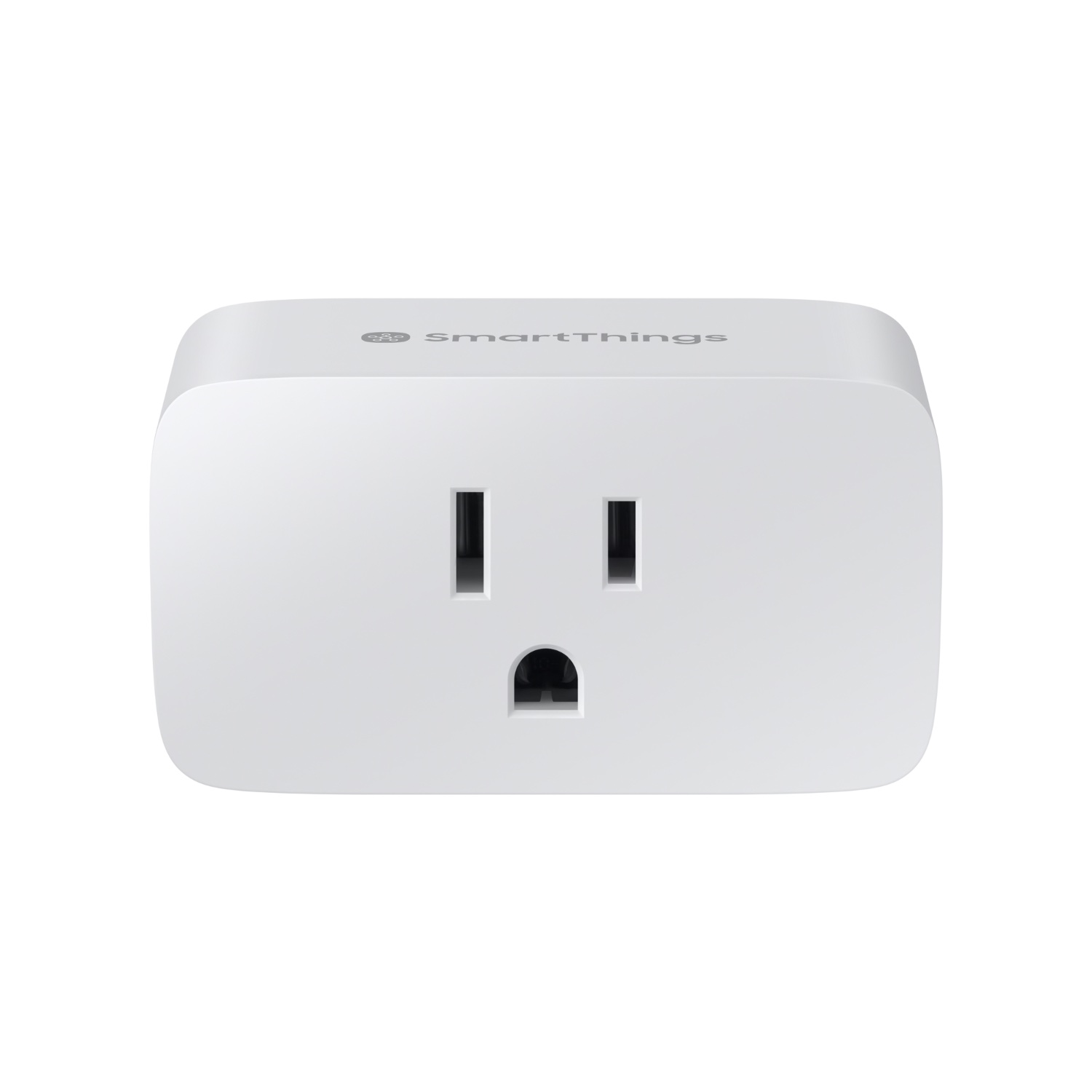
Choosing the Right HomeKit Smart Plug: Key Considerations
When it comes to HomeKit smart plugs, it’s not a one-size-fits-all situation. The market offers a variety of options, and selecting the right one can significantly enhance your smart home experience. Here’s what to keep in mind:
- Compatibility is King: Always ensure the smart plug explicitly states “Works with Apple HomeKit” or “Matter compatible.” Matter is the latest smart home standard designed for interoperability, meaning a Matter-compatible plug will work seamlessly with HomeKit, alongside other platforms like Alexa and Google Home, future-proofing your purchase.
- Connectivity Matters: Most HomeKit smart plugs use Wi-Fi (typically 2.4 GHz). However, newer models are embracing Thread technology. Thread is a mesh networking protocol that offers faster response times and improved reliability, creating a more robust smart home network that doesn’t rely solely on your Wi-Fi. Eve Energy is a notable example of a Thread-enabled smart plug.
- Features for Your Lifestyle: Do you want to monitor how much electricity your ancient toaster oven is guzzling? Look for smart plugs with energy monitoring capabilities, like the Eve Energy or certain Kasa models. Is outlet space a concern? A compact design ensures the plug doesn’t block the second receptacle on a standard wall outlet.
- Reputable Brands: Brands like Meross, Eve Energy, Belkin Wemo, and Kasa are frequently recommended for their reliability and HomeKit integration. Meross often stands out for its compact size and competitive pricing, while Eve Energy is lauded for its Thread support and privacy-focused approach.
Taking these factors into account will help you find a HomeKit smart plug that not only meets your needs but also excels in performance and integration.
How HomeKit Smart Plugs Work and What You Need to Get Started
Understanding the underlying technology makes integrating HomeKit smart plugs even more satisfying. When you plug in a HomeKit smart plug, it essentially becomes a remote-controlled switch for whatever appliance is connected to it. It leverages your home’s Wi-Fi network to communicate with your Apple devices.
The heart of the operation lies within the Apple Home app. This is where you manage all your HomeKit-enabled accessories. Your smart plug communicates with the Home app, allowing you to turn it on or off, set schedules, and integrate it into automated routines.
To unlock the full potential of your HomeKit smart plug, particularly for remote control when you’re away from home, and to enable complex automations, you’ll need a HomeKit hub. This can be a HomePod, HomePod mini, or an Apple TV (4th generation or later). This hub acts as a central point, relaying commands and ensuring your smart home stays connected and responsive, even when you’re not there. Additionally, ensure your home Wi-Fi network operates on the 2.4 GHz band during the initial setup, as most smart home devices prefer this frequency for its broader range.
A Step-by-Step Guide to Setting Up and Using Your HomeKit Smart Plug
Getting your HomeKit smart plug up and running is surprisingly straightforward. You don’t need to be a tech wizard to start automating your home.
- Unbox and Plug In: First, take your new smart plug out of its packaging. Find a suitable wall outlet and plug in the smart plug. Then, plug the appliance you wish to control into the smart plug itself.
- Open the Apple Home App: Grab your iPhone or iPad, open the “Home” app, and tap the plus (+) icon in the top right corner. Select “Add Accessory.”
- Scan the QR Code: Most HomeKit devices come with a unique 8-digit HomeKit QR code or a numerical code. Locate this code on the smart plug itself, on its packaging, or in the manual. Use your device’s camera to scan the code when prompted by the Home app. If scanning fails, you can usually manually enter the code.
- Add to Home and Assign: Once scanned, the Home app will identify your smart plug. Tap “Add to Home.” You’ll then be guided to assign the plug to a specific room (e.g., Living Room, Kitchen) and give it a descriptive name (e.g., “Floor Lamp,” “Coffee Machine”). This makes it easy to identify and control later.
- Basic Control: After setup, your smart plug will appear in the Home app. You can now tap its icon to instantly toggle your appliance on or off. It’s that simple!
- Voice Control with Siri: For a truly hands-free experience, just say, “Hey Siri, turn on the Floor Lamp” or “Hey Siri, turn off the Coffee Machine.” Siri will execute your command, making everyday tasks feel effortless.
“The beauty of HomeKit is its intuitive setup process,” notes Dr. Hayes. “Apple has really focused on making smart home technology accessible, even for beginners.”
Tips and Tricks to Maximize Your HomeKit Smart Plug’s Utility
Once your HomeKit smart plugs are set up, the real fun begins! Here’s how to unlock their full potential and truly personalize your smart home experience:
Creating Scenes for Instant Ambiance
Scenes allow you to control multiple accessories with a single command or tap. For instance:
- “Good Morning” Scene: Imagine saying “Hey Siri, Good Morning” and having your bedroom lamp slowly brighten, your coffee maker start brewing, and your living room fan turn on. All this with one phrase!
- “Movie Night” Scene: With a single command, dim the living room lights, turn on your entertainment center (if connected to a smart plug), and maybe even switch off other distractions.
To create a scene, go to the “Home” app, tap the plus (+) icon, and select “Add Scene.” You can then choose which accessories to include and their desired states.
Setting Up Smart Automations
Automations take your smart home to the next level by making your devices react automatically to triggers.
- Time-Based Automations: Schedule your outdoor lights to turn on at sunset and off at sunrise, or your bedside lamp to turn off automatically at 10 PM every night.
- Event-Triggered Automations: Combine your smart plug with other HomeKit sensors. For example, if a motion sensor detects movement in your hallway at night, turn on a low-light lamp connected to a smart plug. You can also automate devices to turn on/off when you arrive or leave home.
- Virtual Switches: If you have a device that occasionally needs a power cycle (like a finicky router or an old gadget), connect it to a smart plug. You can then create an automation or a scene to quickly “restart” it without unplugging and replugging.
Troubleshooting Common Issues
- “No Response” Error: Ensure your HomeKit hub (HomePod, Apple TV) is online and within range. Check your Wi-Fi connection and that the plug is still connected to the 2.4 GHz network. Sometimes a simple unplug and replug of the smart plug can resolve minor glitches.
- Setup Code Issues: If the QR code isn’t scanning, try manually entering the numerical code. Ensure there’s good lighting and no glare.
- Firmware Updates: Regularly check for and install firmware updates via the manufacturer’s app or the Home app, as these often improve stability and add new features.
The Unbeatable Benefits of HomeKit Smart Plugs: Energy Savings, Safety, and Unmatched Convenience
Integrating HomeKit smart plugs into your living space offers a cascade of benefits, transforming daily routines into seamless, energy-efficient, and secure experiences.
Boosting Energy Efficiency and Saving Costs
One of the most tangible advantages of HomeKit smart plugs is their ability to slash your electricity bills. Many devices, often referred to as “vampire electronics,” draw power even when turned off or in standby mode. With a smart plug, you can completely cut power to these devices when not in use.
- Intelligent Scheduling: Set specific times for your appliances to turn on and off. For example, schedule your office equipment to power down automatically after working hours and switch back on just before you start your day.
- Energy Monitoring: Plugs with energy monitoring features provide real-time data on power consumption, helping you identify and eliminate energy hogs in your home. “Monitoring energy use through smart plugs is a game-changer for conscious consumers,” states Dr. Hayes. “It offers an unprecedented level of control over household energy waste.”
Enhanced Home Security
Smart plugs contribute significantly to your home’s security, offering peace of mind whether you’re at work or on vacation.
- Occupancy Simulation: Program your lamps to turn on and off at varying times throughout the evening, mimicking the presence of occupants. This simple trick can effectively deter potential intruders, making your home appear occupied even when it’s empty.
- Integration with Sensors: Pair smart plugs with HomeKit motion sensors to trigger lights automatically when movement is detected, startling unwanted visitors and drawing attention.
Ultimate Convenience and Control
The sheer convenience offered by HomeKit smart plugs is unparalleled, simplifying countless aspects of daily life.
- Remote Control Anywhere: Left the curling iron on? Forgot to turn off the fan? With HomeKit, you can check and control your appliances from anywhere in the world using your iPhone, iPad, or Apple Watch, as long as you have an internet connection.
- Voice Commands: Using Siri, you can activate or deactivate devices with natural language commands, making hands-free control effortless, especially when your hands are full.
- Peace of Mind: No more nagging doubts about whether you left an appliance running. A quick check of the Home app provides instant reassurance. This level of control reduces stress and adds a layer of comfort to your daily routine.
Advanced Features and Seamless Smart Home Ecosystem Integration
The world of HomeKit smart plugs is continuously evolving, with exciting advancements that enhance their performance and expand their role within your smart home.
The Power of Thread Technology
Newer HomeKit smart plugs are increasingly adopting Thread connectivity. Unlike traditional Wi-Fi, Thread creates a low-power, self-healing mesh network within your home. This means devices communicate directly with each other, rather than solely relying on your central Wi-Fi router. The result? Faster response times, increased reliability, and a more robust smart home that isn’t bogged down by too many Wi-Fi devices. Devices like the Eve Energy with Thread act as router nodes, extending the reach and stability of your Thread network.
Matter Compatibility: The Future of Smart Home
Matter is the revolutionary new standard designed to unify the smart home landscape. A HomeKit smart plug that is also Matter-compatible ensures broader interoperability with devices from different manufacturers and ecosystems. This means your smart plug isn’t just limited to HomeKit; it can also seamlessly integrate with Google Home, Amazon Alexa, and other Matter-certified platforms. This future-proofs your smart home investments and provides unparalleled flexibility.
Integrating with the Broader HomeKit Ecosystem
The real power of HomeKit smart plugs shines when they are integrated with other Apple Home accessories.
- Smart Lighting: Use a smart plug to control a non-smart lamp, and then group it with your HomeKit-enabled smart bulbs in a “Living Room” scene.
- Sensors: Combine a smart plug with a HomeKit motion sensor to turn on a fan when you enter a room, or with a door/window sensor to turn off an AC unit if a window is opened.
- HomeKit Secure Video: While not directly related to plugs, a robust HomeKit setup, including smart plugs, contributes to a holistic security approach when combined with cameras.
This ecosystem approach allows for highly personalized and automated routines that truly adapt to your lifestyle, making your home more intelligent and responsive.
Conclusion
HomeKit smart plugs are more than just simple adapters; they are essential building blocks for a modern, efficient, and secure smart home. They offer an accessible entry point into home automation for Apple users, providing effortless control, significant energy savings, enhanced security, and unmatched convenience. Whether you’re just starting your smart home journey or looking to expand your existing HomeKit setup, embracing these versatile devices will undoubtedly unlock new levels of comfort and control in your living space. Dive in, experiment with automations, and discover the transformative power of HomeKit smart plugs today. Your home, and your daily routine, will thank you.