In the ever-evolving landscape of smart home technology, the Hbn Smart Plug stands out as a simple yet revolutionary device, transforming ordinary appliances into intelligent, remotely controllable components of your connected living space. If you’re looking to dip your toes into home automation or expand your existing smart ecosystem, understanding the capabilities and benefits of an HBN Smart Plug is your first crucial step towards a more convenient, energy-efficient, and secure home. This guide will walk you through everything you need to know, from initial setup to advanced usage, ensuring you maximize its potential.
What is an HBN Smart Plug and Why is it Essential for Your Home?
At its core, a smart plug is a compact device that plugs into a standard electrical outlet, allowing you to connect any appliance and control it wirelessly through an app on your smartphone or via voice commands. The HBN Smart Plug takes this fundamental concept and delivers it with a focus on user-friendliness and robust performance. It’s not just about turning things on and off; it’s about gaining control, saving energy, and enhancing safety in ways you might not have imagined.
Imagine being able to power down your iron from your office or switch on your patio lights before you even pull into the driveway. This level of remote management is precisely what makes an HBN Smart Plug an indispensable tool in today’s smart home. It breathes new life into traditional devices, making them part of a responsive, automated environment without the need to replace them.
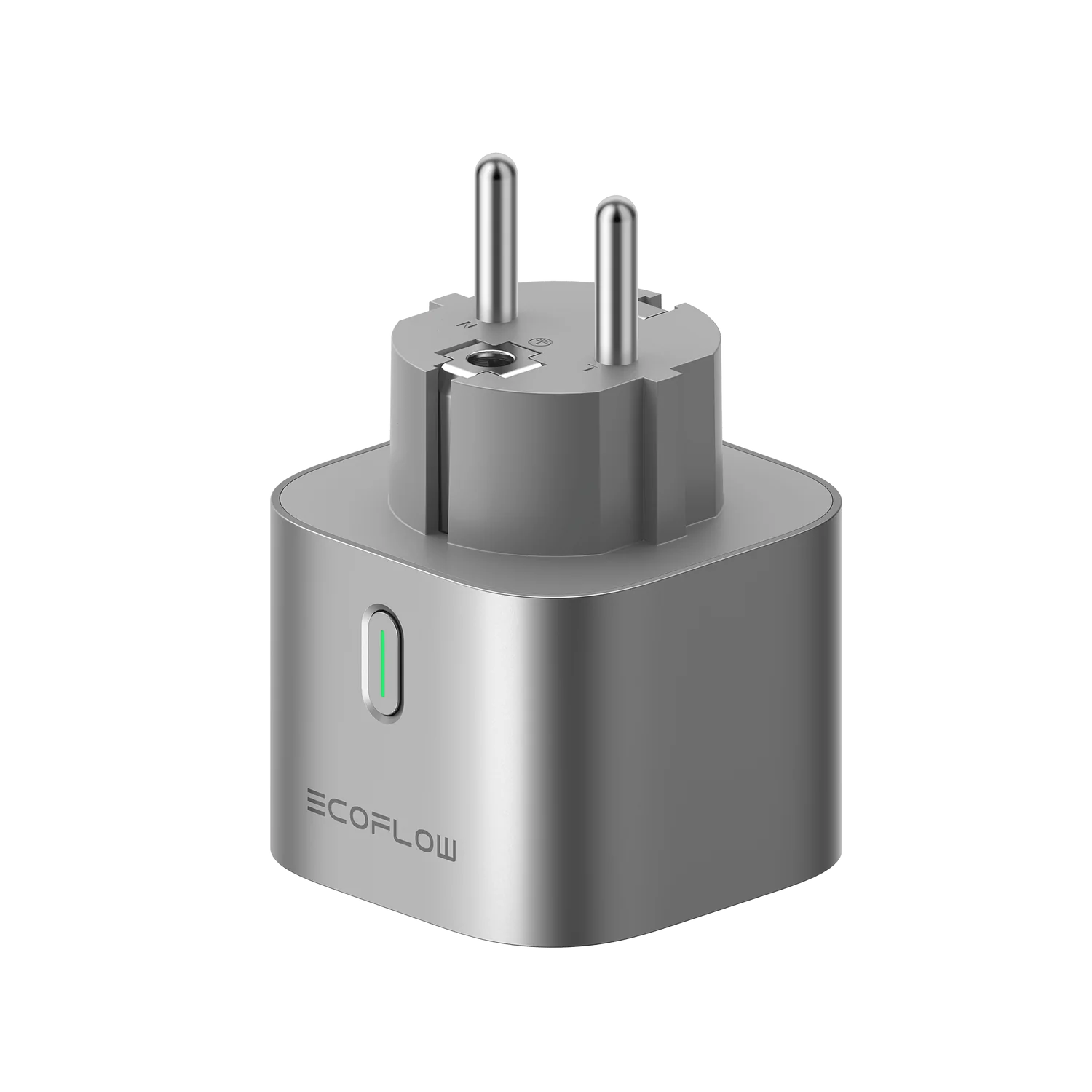
How HBN Smart Plugs Work and What You Need to Get Started
The magic behind an HBN Smart Plug lies in its Wi-Fi connectivity. Once plugged into a wall outlet and an appliance is connected to it, the smart plug establishes a link with your home’s 2.4GHz Wi-Fi network. This connection then allows you to control the flow of electricity to the plugged-in device through a dedicated smartphone application, such as the HBN Smart app or the widely used Smart Life app.
You don’t need a complex hub or expensive bridge device to get started. The HBN Smart Plug is designed for direct integration with your existing Wi-Fi.
To begin your journey with the HBN Smart Plug, you’ll primarily need:
- A stable 2.4GHz Wi-Fi network: It’s crucial to note that HBN Smart Plugs, like many smart home devices, operate on the 2.4GHz frequency, not 5GHz.
- A smartphone or tablet: Running Android 4.1 (or higher) or iOS 8.0 (or higher).
- The HBN Smart App or Smart Life App: Available for free download from your device’s app store.
- The HBN Smart Plug itself: Ready to be plugged in!
“The simplicity of integrating an HBN Smart Plug into any home environment is its biggest strength,” explains Dr. Evelyn Reed, a leading Smart Home Technology Analyst. “It democratizes smart home control, making advanced automation accessible to everyone without a steep learning curve or significant investment.”
Seamless Setup: Your Step-by-Step Guide to Installing and Using Your HBN Smart Plug
Setting up your HBN Smart Plug is refreshingly straightforward, designed to get you up and running in minutes. Forget complicated wiring or technical jargon; it’s a process anyone can follow.
Here’s a simple, numbered guide to get your HBN Smart Plug connected:
- Plug It In: Insert your HBN Smart Plug into a standard wall outlet. If you have an appliance ready to connect, plug it into the smart plug.
- Download the App: Search for “HBN Smart” or “Smart Life” in your smartphone’s app store (Apple App Store or Google Play Store) and download it.
- Register and Log In: Open the app and follow the prompts to create a new account or log in if you already have one.
- Add Your Device: Within the app, tap the ‘+’ icon (usually in the top right corner) to add a new device. Select “Electrical” and then “Socket (Wi-Fi)” or a similar plug option.
- Enter Wi-Fi Details: Input your home’s 2.4GHz Wi-Fi network name and password. Double-check that you’re connected to the 2.4GHz band.
- Activate Pairing Mode: The app will guide you to put your HBN Smart Plug into pairing mode. This typically involves pressing and holding the power button on the plug for about 5 seconds until its indicator light starts blinking rapidly.
- Connect and Rename: The app will then search for and connect to your smart plug. Once connected, you can rename the device to something easily recognizable, like “Living Room Lamp” or “Coffee Maker.”
You can now control your appliance remotely through the app! To take it a step further, integrate your HBN Smart Plug with voice assistants:
- Linking with Amazon Alexa or Google Home:
- Open your Alexa or Google Home app.
- Go to “Skills & Games” (Alexa) or “Works with Google” (Google Home) and search for the “Smart Life” or “HBN Smart” skill.
- Enable the skill and log in with your HBN Smart/Smart Life app credentials.
- Discover devices, and your HBN Smart Plug will appear, ready for voice commands like, “Alexa, turn on the living room light.”
Unlocking Full Potential: Tips and Tricks to Maximize Your HBN Smart Plug
The true power of the HBN Smart Plug emerges when you explore its various functionalities beyond simple on/off control. These tips and tricks can help you unlock a smarter, more efficient home:
- Master Scheduling and Timers: Automate your daily routines. Set your coffee maker to brew every morning before you wake up, or program your lights to turn on and off at specific times, creating the illusion that someone is home even when you’re away. This is particularly useful for holiday decorations, eliminating the need to manually plug and unplug them.
- Leverage Voice Control: Integrate your HBN Smart Plug with Amazon Alexa or Google Assistant for hands-free convenience. Instead of reaching for your phone, simply say, “Hey Google, turn on the bedroom fan,” to adjust your environment instantly.
- Implement Group Control and Scenes: If you have multiple HBN Smart Plugs, categorize them into groups (e.g., “Bedroom Lights”) or create “scenes.” A “Good Morning” scene could simultaneously turn on your bedside lamp and kickstart the kettle with a single command. This streamlines control over several devices at once.
- Utilize Remote Access: The ability to control your devices from anywhere in the world provides immense peace of mind. Forgot to turn off your hair straightener? No problem – a quick check and tap on your app, and it’s off. This feature is invaluable for managing energy consumption and enhancing safety when you’re away from home.
- Explore Random Mode for Security: Many HBN Smart Plugs offer a “random” or “away” mode. When activated, it will turn lights on and off sporadically, mimicking human presence and deterring potential intruders. This subtle feature adds a significant layer of home security.
- Consider Outdoor Variants: For managing garden lights, patio heaters, or festive outdoor decorations, look for the HBN Smart Outdoor Plug. These models are built with weather-resistant designs and often feature multiple grounded outlets, providing robust control for your external electrical needs.
The Tangible Advantages: Energy Savings, Enhanced Safety, and Unmatched Convenience with HBN Smart Plugs
Adopting the HBN Smart Plug into your home isn’t just about embracing new technology; it’s about realizing concrete benefits that improve your daily life.
Energy Savings
One of the most compelling advantages is energy conservation. Many devices, even when turned off, continue to draw a small amount of “phantom” power. By connecting these devices to an HBN Smart Plug, you can completely cut off power when they’re not in use, either manually or through scheduled automation. Imagine how much electricity is wasted by chargers, entertainment systems, and small appliances idling throughout the day. With precise scheduling, you can ensure lights, fans, and electronics are only active when truly needed, leading to noticeable reductions in your electricity bill over time.
Enhanced Safety
HBN Smart Plugs contribute significantly to home safety. Forgetting to turn off a space heater or curling iron can be a major fire hazard. With an HBN Smart Plug, you can remotely verify the status of these appliances and switch them off from anywhere, preventing potential accidents. The random lighting feature also deters burglaries, adding a layer of security even when your home is vacant. Furthermore, for homes with children, specific outlets can be easily deactivated to prevent curious hands from tampering with plugged-in devices.
Unmatched Convenience
The convenience offered by an HBN Smart Plug is transformative.
- Remote Control: Control appliances from your phone, whether you’re in another room or another country.
- Voice Commands: Effortlessly manage devices with simple spoken instructions through Alexa or Google Home.
- Automation: Set up schedules and timers to automate daily tasks, making your home work for you. Wake up to freshly brewed coffee, or have your entryway lights welcome you home.
Beyond the Basics: Advanced Features and Smart Home Ecosystem Integration
The true sophistication of the HBN Smart Plug unfolds as you delve into its advanced features and its seamless integration within broader smart home ecosystems. These capabilities elevate it from a simple remote switch to a core component of intelligent living.
Most HBN Smart Plugs are built on platforms like TuyaSmart or Smart Life, which are renowned for their wide compatibility. This means your HBN Smart Plug isn’t an isolated gadget; it’s designed to work harmoniously with major smart home platforms:
- Amazon Alexa and Google Home: As discussed, voice control is a cornerstone of modern smart homes. The HBN Smart Plug integrates flawlessly, allowing you to use intuitive commands to control individual devices or activate pre-set scenes.
- IFTTT (If This Then That): For those who love to customize, some HBN Smart Plugs can be integrated with IFTTT. This powerful web service allows you to create complex automation “applets.” For instance, you could set up an applet where if your smart doorbell detects motion (IF THIS), then your HBN Smart Plug connected to a lamp turns on (THEN THAT). This opens up a world of possibilities for cross-device automation.
- Custom Automation Routines: Within the HBN Smart or Smart Life app, you can create intricate automation rules. These can be triggered by various conditions:
- Time of day: Turn on the humidifier at 9 PM.
- Sunset/Sunrise: Automatically switch on outdoor lights at dusk and off at dawn.
- Device status: If a smart sensor detects an open door, turn on a connected light.
- Location: Have your AC turn on when your phone GPS indicates you’re a mile from home.
These advanced capabilities allow you to create a truly responsive and personalized home environment, adapting to your lifestyle and making your home proactive rather than reactive.
Frequently Asked Questions (FAQ)
What Wi-Fi network does the HBN Smart Plug support?
The HBN Smart Plug exclusively supports 2.4GHz Wi-Fi networks. It is not compatible with 5GHz Wi-Fi networks.
Do I need a hub for my HBN Smart Plug?
No, the HBN Smart Plug does not require a separate hub. It connects directly to your home’s 2.4GHz Wi-Fi network for control.
What app do I use to control my HBN Smart Plug?
You typically use the “HBN Smart” app or the “Smart Life” app, both available for free download on iOS and Android devices.
Can I control multiple HBN Smart Plugs at once?
Yes, you can control multiple HBN Smart Plugs individually, create groups to control them simultaneously, or set up “scenes” to activate several at once with a single command.
Is the HBN Smart Plug compatible with Alexa and Google Home?
Absolutely! HBN Smart Plugs are designed for seamless integration with both Amazon Alexa and Google Home Assistant, allowing for convenient voice control.
Can HBN Smart Plugs save energy?
Yes, by enabling you to remotely turn off idle appliances and schedule power cycles, HBN Smart Plugs can help you reduce “phantom” power consumption and save energy.
Conclusion
The HBN Smart Plug is more than just an accessory; it’s a fundamental building block for any modern smart home, offering unparalleled control, efficiency, and peace of mind. Its user-friendly setup, robust feature set, and wide compatibility with leading smart home ecosystems make it an ideal choice for both smart home novices and seasoned enthusiasts. By embracing the power of the HBN Smart Plug, you’re not just automating tasks; you’re stepping into a future where your home anticipates your needs, saves you money, and simplifies your daily life. Take the leap and transform your home into a truly intelligent space with HBN Smart Plugs.