In a world increasingly connected, the concept of a smart home has moved from futuristic fantasy to everyday reality. At the heart of this transformation are smart plugs, small yet mighty devices that bridge the gap between your traditional appliances and the intelligent control offered by ecosystems like Google Home. If you’ve ever wished you could turn on your coffee maker from bed, schedule your lights to deter intruders, or simply cut down on energy vampires, then understanding the power of Google Smart Plugs is your next step to a truly automated home.
What is a Smart Plug and Why Are They Important?
A smart plug is essentially an adapter that fits between your wall outlet and an appliance, giving that appliance “smart” capabilities. Think of it as a gateway, transforming any ordinary lamp, fan, or even a slow cooker into a device you can control remotely. Why are they so important? Because they offer a low-cost, low-effort entry point into home automation. Instead of replacing all your existing electronics, smart plugs allow you to infuse intelligence into them, making your home more convenient, efficient, and secure without a complete overhaul.
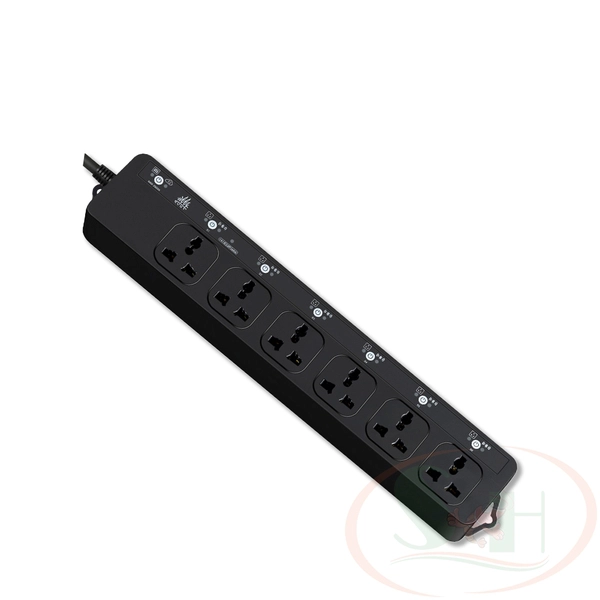
Google Smart Plugs: The Heart of a Connected Home
While Google doesn’t produce a generic “Google Smart Plug” under its primary brand, it heavily integrates with and supports a vast ecosystem of smart plugs that work seamlessly with Google Assistant and Google Home devices. Brands like Cync by GE, TP-Link Kasa, Meross, Tapo, and Philips Hue are just a few of the many that proudly bear the “Works with Google Home” badge. These partnerships ensure that whether you’re using a Google Nest Hub or a Google Nest Mini, your smart plugs respond effortlessly to your voice commands and routines. The focus here is on robust compatibility, allowing users to choose from a wide array of reliable third-party options that fit their specific needs and budget, all while operating under the intelligent umbrella of Google’s smart home platform. This expansive compatibility means you’re never locked into a single brand, fostering a more flexible and user-friendly smart home experience.
How Smart Plugs Work with Google Assistant and What You Need to Get Started
The magic behind smart plugs lies in their simplicity. Most smart plugs connect to your home’s 2.4GHz Wi-Fi network. This connection allows them to communicate with their dedicated manufacturer’s app, and crucially, with your Google Home app and Google Assistant-enabled devices.
To begin your smart plug journey, you’ll need just a few things:
- A Smart Plug: Choose one that explicitly states “Works with Google Assistant” or “Google Home Compatible.”
- A Stable 2.4GHz Wi-Fi Network: Most smart plugs operate on this frequency, so ensure your router supports it.
- A Smartphone or Tablet: To download the manufacturer’s app and the Google Home app.
- A Google Assistant-Enabled Device: This could be a Google Nest speaker, a Nest Hub, or even just your smartphone with Google Assistant.
Once these prerequisites are met, you’re ready to unlock a new level of home control.
How to Install and Use Your Google-Compatible Smart Plug
Setting up a smart plug with Google Home is usually a straightforward process. Here’s a typical step-by-step guide:
- Plug It In: Insert your smart plug into any standard electrical outlet. You should see an indicator light, often blinking, signaling it’s ready for setup.
- Download the Manufacturer’s App: Search for and download the smart plug’s dedicated app (e.g., Kasa Smart, Cync app). Follow the in-app instructions to create an account and connect the plug to your home’s 2.4GHz Wi-Fi network. This usually involves a few taps and entering your Wi-Fi password.
- Link to Google Home:
- Open the Google Home app on your smartphone or tablet.
- Tap the “plus” (+) icon in the top left corner.
- Select “Set up device” > “Works with Google.”
- Search for the brand of your smart plug (e.g., “Kasa Smart”).
- Follow the prompts to link your manufacturer’s account with Google Home. You’ll typically be redirected to the manufacturer’s login page.
- Once linked, Google Home will import all the smart devices from that brand, including your new smart plug.
- Assign to Rooms and Rename: In the Google Home app, assign your smart plug to a specific room (e.g., “Living Room”) and give it a user-friendly name (e.g., “Table Lamp,” “Fan”). This makes voice control much easier.
Seamless Setup (for select Matter-enabled and newer plugs): Some advanced smart plugs, especially those supporting the Matter standard or specific newer models like certain Kasa plugs, offer “Seamless Setup.” This allows you to set them up directly within the Google Home app, often by simply scanning a QR code on the device or its packaging. This eliminates the need for a separate manufacturer’s app, streamlining the entire installation process.
Tips and Tricks to Maximize Your Smart Plug’s Utility
To truly make the most of your Google smart plugs, go beyond simple on/off commands:
- Set Schedules: Automate your life by creating schedules in the Google Home app. Have your bedside lamp turn on at sunset and off at bedtime, or your holiday lights activate at dusk. This is perfect for daily routines.
- Create Routines: Combine multiple actions with a single voice command or time trigger. For example, a “Good Morning” routine could turn on your bedroom lamp (via smart plug), start your coffee maker (via smart plug), and read you the news.
- Optimize Voice Commands: Rename your smart plugs intuitively. Instead of “Plug 1,” call it “Bedroom Fan.” Also, use the Google Home app to set the “Device type” for your plug (e.g., if a lamp is plugged in, set it as “Light”). This allows for more natural commands like “Hey Google, turn on the living room lights,” which will activate all connected smart lights, including those connected via smart plugs.
- Utilize “Away Mode”: Many smart plugs, or Google Home routines, offer an “Away Mode” feature. This randomly turns lights or other devices on and off while you’re out, making it appear as if someone is home and acting as a deterrent against potential intruders.
Benefits of Smart Plugs: Energy Saving, Safety, and Convenience
Integrating Google smart plugs into your home offers a trifecta of advantages:
- Energy Saving: Say goodbye to “phantom load” – the energy consumed by devices even when turned off but still plugged in. With smart plugs, you can completely cut power to these devices when not in use. Many smart plugs also include energy monitoring features, allowing you to track consumption and identify energy-hungry appliances, empowering you to make smarter choices and potentially reduce your electricity bills.
- Enhanced Safety: Smart plugs can add an extra layer of safety. You can remotely turn off appliances you might have forgotten, like a curling iron or a space heater. For homes with children, they can prevent accidental activation of certain devices. The “Away Mode” also contributes to security by creating an illusion of occupancy.
- Unmatched Convenience: This is where smart plugs truly shine. Imagine controlling appliances with your voice from anywhere in your home, or even remotely from work via the Google Home app. No more fumbling for switches in the dark, or getting up to turn off a lamp. Smart plugs bring effortless control right to your fingertips, simplifying daily tasks and making your home a more responsive environment.
“Smart plugs, particularly those compatible with Google Assistant, are pivotal in democratizing smart home technology,” explains Dr. Anya Sharma, a leading Smart Home Technology Analyst. “They transform everyday appliances into intelligent devices, offering unprecedented control and efficiency without requiring complex installations, making advanced home automation accessible to everyone.”
Advanced Features and Smart Home Ecosystem Integration
The capabilities of Google-compatible smart plugs extend beyond basic remote control. Many modern plugs embrace advanced standards and offer deep integration:
- Matter Compatibility: A growing number of smart plugs are Matter-certified. Matter is a new universal smart home standard designed to improve compatibility and interoperability between different smart home brands and platforms. A Matter-certified plug seamlessly integrates with Google Home, alongside other Matter controllers like Amazon Alexa or Apple HomeKit, providing greater flexibility and future-proofing your smart home setup.
- Integration with Google Nest Devices: Your smart plugs become an integral part of your Google Nest ecosystem. Control them through your Nest Hub’s touchscreen, or use voice commands via any Nest speaker. You can set up sophisticated routines that involve other Nest devices, like having lights (connected via smart plugs) turn on when your Nest Cam detects motion.
- Beyond the Basics: Look for plugs with features like surge protection to safeguard your electronics, or those designed for outdoor use to smarten up your patio lights or seasonal decorations.
Frequently Asked Questions (FAQ)
Do Google sell their own smart plugs?
While Google doesn’t brand a generic smart plug under its primary “Google” name like a phone, they do partner with brands like Cync by GE, whose smart plugs are sold on the Google Store and are designed for seamless integration with Google Home and Assistant. More broadly, the term “Google smart plug” often refers to any smart plug that is compatible with the Google Home ecosystem.
What smart plugs work best with Google Home?
Many reputable brands offer excellent smart plugs compatible with Google Home. Top choices often include TP-Link Kasa, Meross, Tapo, Cync by GE, and Philips Hue. Look for plugs that explicitly state “Works with Google Assistant” or “Google Home Compatible,” and consider features like energy monitoring or Matter certification.
Do smart plugs need a hub for Google Home?
Most Wi-Fi smart plugs do not require a separate hub to work with Google Home. They connect directly to your home’s 2.4GHz Wi-Fi network and then link to your Google Home app. However, certain smart plugs (e.g., those using Zigbee or Thread) might require a compatible hub, but typically, Google Nest devices (like Nest Hubs or larger Nest speakers) can act as Matter controllers or Thread border routers, eliminating the need for an additional dedicated hub for some of these protocols.
Can smart plugs save energy?
Yes, smart plugs can help save energy. They allow you to easily turn off devices remotely or on a schedule, preventing “phantom load” (energy used when devices are off but still plugged in). Many models also offer energy monitoring, giving you insights into how much power your appliances are consuming, helping you identify and manage energy usage effectively.
How secure are smart plugs?
When chosen from reputable brands, smart plugs are generally secure. They utilize encryption for communication and receive regular firmware updates to address vulnerabilities. Ensure you use strong, unique passwords for your Wi-Fi network and smart plug accounts, and keep your Google Home app and smart plug apps updated for the best security.
Conclusion
Google smart plugs are an indispensable component of any modern smart home, offering an accessible and effective way to enhance convenience, boost security, and promote energy efficiency. They empower you to transform everyday items into intelligent, voice-controlled, and remotely manageable devices, all integrated seamlessly into your Google Home ecosystem. By understanding their function, ease of setup, and versatile applications, you can unlock a smarter, more responsive living space. So, take the leap, try a Google-compatible smart plug, and experience the simple yet profound difference it makes in your daily life. Your smart home journey starts here!