Imagine a home where your coffee machine starts brewing the moment your alarm rings, where lights dim with a simple voice command, or where forgotten appliances power down automatically, saving you energy. This isn’t a futuristic dream; it’s the everyday reality enabled by the humble yet powerful Google Home Smart Plug. In the rapidly evolving landscape of smart home technology, these compact devices stand out as accessible gateways to automation, making your living space smarter, safer, and more convenient, all controlled seamlessly through your Google Assistant.
For many, the journey into home automation begins with a Google Home smart plug. These ingenious devices are designed to empower ordinary appliances, turning them into “smart” gadgets with minimal effort and expense. Whether you’re looking to automate lighting, control fans, or manage other electronics, integrating smart plugs with your Google Home ecosystem unlocks a world of possibilities through voice commands, custom routines, and remote access.
What is a Smart Plug and Why Are They Important for Your Google Home?
At its core, a smart plug is an adapter that plugs into a standard electrical outlet, providing its own outlet for you to connect any traditional device. Once plugged in and connected to your home Wi-Fi network, this smart plug effectively grants your Google Home control over whatever is connected to it. It’s like giving your non-smart lamp, fan, or toaster a brain, enabling it to communicate with your Google Assistant.
The importance of these devices in your Google Home setup cannot be overstated. They are the democratizers of smart home technology, allowing you to imbue everyday items with intelligence without replacing them entirely. This makes smart home upgrades incredibly affordable and versatile. For instance, an old table lamp becomes a “smart light” that responds to “Hey Google, turn on the living room lamp,” or your fan can be scheduled to turn off after an hour with a simple routine.
Beyond mere convenience, Google Home smart plugs offer tangible benefits: energy efficiency, enhanced safety, and greater peace of mind. They empower you to manage power consumption, ensure devices are off when you’re away, and even simulate presence to deter potential intruders.
How Google Home Smart Plugs Work and What You Need to Get Started
Understanding how a Google Home smart plug operates is surprisingly straightforward. These plugs typically connect to your home’s 2.4GHz Wi-Fi network. This 2.4GHz band, while slower than 5GHz, offers a wider range and better penetration through walls, making it ideal for most smart home devices. Once connected to Wi-Fi, the smart plug communicates with its manufacturer’s app, which then links to your Google Home app via the “Works with Google” integration. This bridge allows your Google Assistant device (like a Nest Hub or Mini) to send commands to the plug over the internet.
To embark on your Google Home smart plug journey, you’ll need a few essentials:
- A Google Home compatible smart plug: Ensure the packaging or product description explicitly states compatibility with Google Assistant or Google Home. Many popular brands like TP-Link Kasa, Tapo, Meross, GE Cync, and Eve Energy offer excellent options.
- A stable 2.4GHz Wi-Fi network: Most smart plugs rely on this frequency for reliable connectivity.
- The Google Home app: Downloaded and set up on your smartphone or tablet.
- A Google Assistant device: This could be a Google Nest speaker, a smart display, or even your smartphone.
With these components in place, you’re ready to transform your regular home into a truly intelligent one, with the Google Home smart plug at the heart of your automation efforts.
Step-by-Step Guide: Installing and Using Your Google Home Smart Plug
Setting up a Google Home smart plug is a simple process that typically takes just a few minutes. Here’s a comprehensive guide to get you started:
Choosing the Right Smart Plug
Before you buy, consider your needs. Do you want energy monitoring to track usage? Do you need Matter compatibility for broader future integrations? Or perhaps an outdoor-rated plug for holiday lights? Look for brands renowned for their reliability and positive reviews, ensuring seamless integration with your Google Home ecosystem. Brands like TP-Link Kasa and Tapo are often praised for their robust Google Home support.
Physical Installation
- Unpack your smart plug: Take it out of its packaging and locate any QR codes or setup instructions.
- Plug it into a wall outlet: Choose a convenient, easily accessible outlet near the appliance you wish to control. Avoid using it with power strips or surge protectors unless explicitly stated by the manufacturer, as this can sometimes cause connectivity issues or overload the plug.
- Plug your device into the smart plug: Connect the appliance, such as a lamp or fan, directly into the smart plug’s outlet.
Manufacturer App Setup
- Download the manufacturer’s app: Search for the specific app for your smart plug’s brand (e.g., Kasa Smart, Tapo, Smart Life) in your smartphone’s app store.
- Create an account and connect to Wi-Fi: Open the app, create an account, and follow the in-app instructions to add your new smart plug. This usually involves putting the plug into pairing mode (often indicated by a blinking light) and connecting it to your home’s 2.4GHz Wi-Fi network. Ensure Bluetooth is enabled on your phone if the app requests it.
Linking to Google Home
- Open the Google Home app: On your smartphone or tablet, tap the Google Home app icon.
- Add a new device: Tap the
+icon in the top left corner, then select “Set up device.” - Choose “Works with Google”: From the options, select “Works with Google” to link a third-party service.
- Find your smart plug’s brand: Scroll through the list or use the search bar to find the manufacturer of your smart plug.
- Link accounts: Follow the prompts to sign in to your smart plug’s manufacturer account. This step authorizes Google Home to control your device. Once linked, Google Home will import your smart plug.
Assigning to Rooms and Naming Devices
- Assign to a room: During or after the linking process, assign your Google Home smart plug to a specific room (e.g., Living Room, Bedroom). This organization makes voice control much more intuitive.
- Name your device: Give your smart plug a clear, easy-to-remember name (e.g., “Living Room Lamp,” “Coffee Maker,” “Bedroom Fan”). Avoid generic names like “Smart Plug” if you have multiple devices.
First Voice Commands
You’re all set! Now you can control your appliance with simple voice commands:
- “Hey Google, turn on the Living Room Lamp.”
- “Hey Google, turn off the Coffee Maker.”
- “Hey Google, set the Bedroom Fan to 50%.” (If your plug supports dimming or fan speed control)
Tips and Tricks to Maximize Your Google Home Smart Plug’s Utility
Once your Google Home smart plug is operational, you can unlock its full potential with a few smart strategies:
Creating Routines and Schedules
This is where the magic of automation truly shines. Use the Google Home app to set up custom routines. For instance, create a “Morning” routine that turns on your coffee maker and kitchen lights when your alarm goes off. Or schedule your bedroom lamp to turn on at sunset and off at bedtime. “Away Mode,” offered by some plugs or via Google Home routines, can randomly switch lights on and off to simulate occupancy, boosting home security.
Energy Monitoring
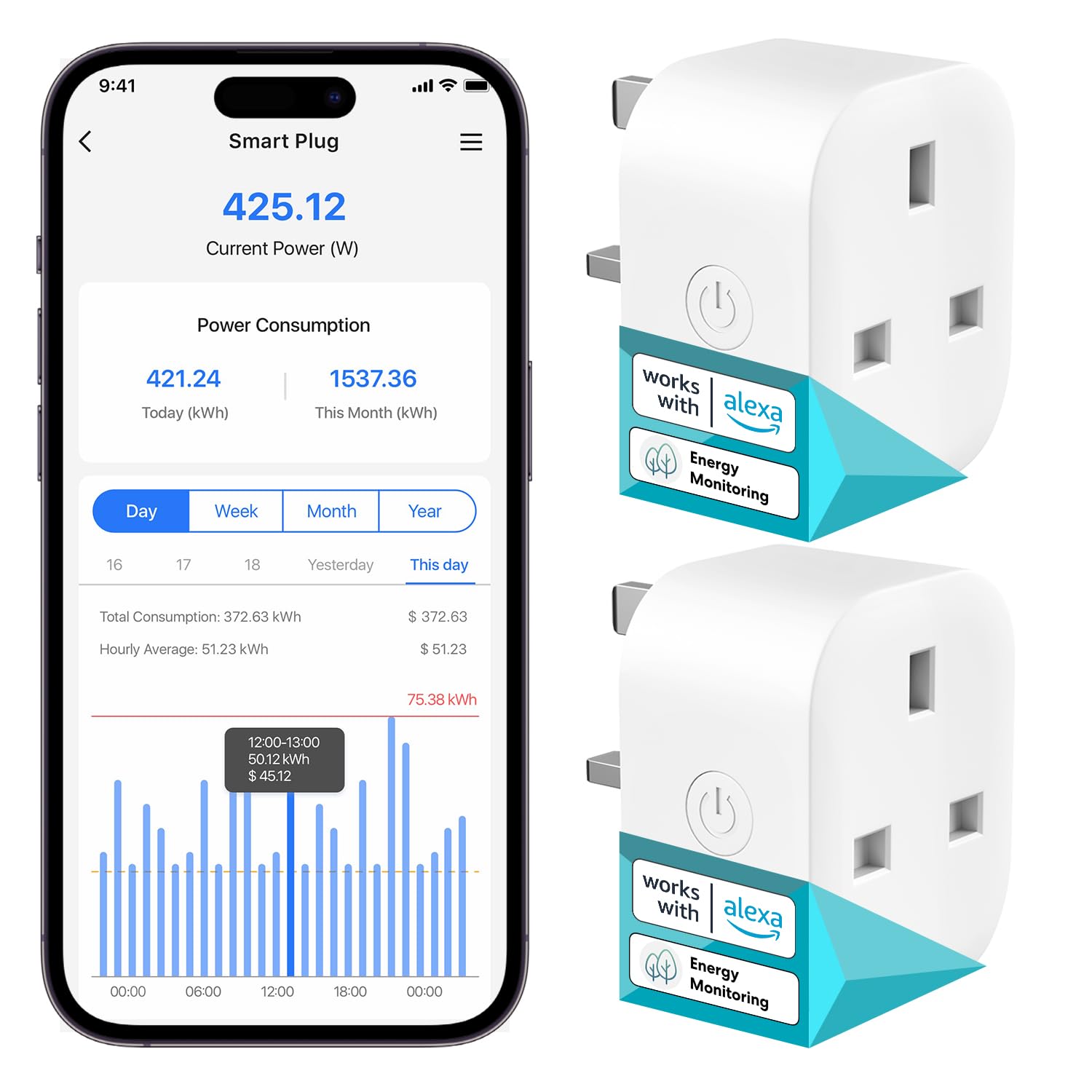
Many advanced Google Home smart plugs come with energy monitoring features. This allows you to track the power consumption of connected devices, often providing insights into daily, weekly, and monthly usage. By understanding which appliances consume the most power, you can make informed decisions to reduce energy waste and lower your electricity bills. This can be a game-changer for mindful energy consumption.
Voice Command Optimization
Be precise and consistent with your device names. If you call it “Living Room Lamp” in the Google Home app, use that exact phrase in your commands. Experiment with different phrases and questions for better control: “Hey Google, is the office light on?” or “Hey Google, dim the bedside lamp to 30%.”
Matter Compatibility
The Matter standard is revolutionizing smart home interoperability. If you’re buying new Google Home smart plugs, prioritize those that are Matter-certified. These plugs offer universal compatibility across different smart home ecosystems (like Google Home, Apple HomeKit, and Amazon Alexa), ensuring they will work seamlessly regardless of your preferred platform in the future. This future-proofs your smart home investments.
Outdoor Smart Plugs
Don’t limit your smart home to indoors! Outdoor Google Home smart plugs are weatherproof and perfect for controlling patio lights, fountains, holiday decorations, or even pool pumps. Many offer dual outlets with independent control, making them incredibly versatile for managing multiple outdoor devices.
Beyond Convenience: The Multifaceted Benefits of Google Home Smart Plugs
The advantages of integrating Google Home smart plugs extend far beyond simple convenience, touching upon practical aspects of home management, safety, and energy conservation.
Energy Saving
One of the most compelling benefits is the potential for significant energy savings. Devices often draw “vampire power” even when turned off but still plugged in. A Google Home smart plug allows you to completely cut power to these devices when not in use. With scheduling, you can ensure lights and appliances are only on when needed, drastically reducing waste. For example, scheduling your media center to power down overnight can save surprising amounts of electricity over time.
Enhanced Safety
Smart plugs can improve home safety in several ways. You can remotely turn off a forgotten curling iron or stove, preventing potential hazards. For homes with children, you can control devices in their rooms, ensuring certain electronics are off during study time or bedtime. Furthermore, the “Away Mode” feature, which randomly turns lights on and off, can make your home appear occupied even when you’re away, serving as a deterrent against burglaries.
Unmatched Convenience
Imagine arriving home to a well-lit house, or having your slow cooker start dinner while you’re still at work. These are just a few examples of the daily conveniences offered by Google Home smart plugs. Remote control via your smartphone, coupled with hands-free voice commands through Google Assistant, frees you from mundane tasks and adds a layer of comfort to your living space.
Accessibility
For individuals with mobility challenges, seniors, or those with disabilities, Google Home smart plugs provide a transformative level of control over their environment. Adjusting lights, turning on appliances, or managing room ambiance becomes effortlessly achievable with voice commands or a tap on a smartphone, greatly enhancing independence and quality of life.
Advanced Features and Ecosystem Integration
The modern Google Home smart plug isn’t just about basic on/off control. The market now offers devices with sophisticated features that integrate deeply into your broader smart home ecosystem.
One of the most significant advancements is Matter and Thread compatibility. Matter is a new universal standard that allows smart devices from different brands to communicate seamlessly, simplifying setup and improving reliability. Thread is a low-power, mesh networking protocol that enhances the responsiveness and stability of your smart home devices. Smart plugs supporting these technologies are designed to be more reliable and future-proof.
Beyond connectivity standards, many smart plugs offer features like:
- Energy Monitoring: As discussed, this is invaluable for tracking and optimizing power usage.
- Dimming Capabilities: Some plugs can adjust the brightness of connected lamps, transforming them into smart lighting without needing smart bulbs.
- USB Charging Ports: Certain smart power strips include USB ports, offering additional smart control over device charging.
- Scene and Automation Support: Deep integration with Google Home allows you to create complex automations, where your smart plug reacts to other smart devices, like motion sensors or door contacts.
Expert Insight: The Future of Smart Plugs in the Google Home Ecosystem
The future of Google Home smart plugs is exciting, marked by increasing intelligence, tighter integration, and a focus on user-centric automation. As smart homes become more sophisticated, these foundational devices will play an even more critical role.
“Google Home smart plugs are more than just on/off switches; they’re the foundational building blocks for a truly intuitive and responsive smart home,” notes Dr. Elara Vance, a leading researcher in IoT and smart home integration. “Their simplicity masks a powerful capability to transform daily routines and significantly enhance energy awareness, paving the way for truly adaptive living spaces.”
This expert perspective underscores the ongoing evolution of smart plugs, emphasizing their transition from basic utility to intelligent, interconnected components that learn and adapt to your lifestyle.
FAQs about Google Home Smart Plugs
Here are some common questions people ask about Google Home smart plugs:
Q: Do all smart plugs work with Google Home?
A: No, not all smart plugs are compatible with Google Home. It’s crucial to check the product specifications for explicit “Works with Google Assistant” or “Google Home compatible” labeling before purchasing.
Q: What Wi-Fi band do smart plugs use?
A: Most Google Home smart plugs primarily operate on the 2.4GHz Wi-Fi band. This band offers a wider range and better wall penetration than 5GHz, which is advantageous for devices often spread throughout a home.
Q: Can smart plugs save me money on electricity?
A: Yes, they absolutely can. By allowing you to remotely turn off devices, set schedules, and in some cases, monitor energy consumption, smart plugs help reduce “vampire power” drain and ensure appliances are only on when needed, leading to noticeable savings on your utility bills.
Q: Are smart plugs safe to use with all appliances?
A: Most Google Home smart plugs are safe for typical household appliances like lamps, fans, and coffee makers. However, it’s vital to check the smart plug’s maximum wattage rating and ensure the connected appliance does not exceed this limit to prevent overloading and potential fire hazards. High-wattage appliances like space heaters or air conditioners might require heavy-duty smart plugs or direct wall outlets.
Q: What is Matter, and why is it important for Google Home smart plugs?
A: Matter is a new open-source connectivity standard for smart home devices, designed to simplify setup and improve compatibility across different brands and ecosystems (including Google Home). For smart plugs, Matter compatibility means easier integration, more reliable performance, and greater flexibility as your smart home grows, regardless of the manufacturer.
Conclusion
The Google Home smart plug is a small device with immense power, capable of transforming your home into a more intelligent, efficient, and responsive environment. From effortless voice control and intricate routine automation to significant energy savings and enhanced safety, these plugs offer a practical and affordable entry point into the world of smart living. As technology continues to advance with standards like Matter, the capabilities of these essential smart home components will only grow. So, take the leap, explore the possibilities, and start automating your world with a Google Home smart plug – your smart home journey begins here.