Ever wished your “dumb” appliances could suddenly get a whole lot smarter? Imagine turning off the bedside lamp from the comfort of your couch, scheduling your coffee maker to brew just as you wake up, or checking if you left the curling iron on after you’ve already left the house. This isn’t science fiction; it’s the everyday reality enabled by a simple yet powerful device: the smart plug. And when we talk about reliability, seamless integration, and user-friendliness, the Belkin Wemo Smart Plug consistently rises to the top, offering an accessible entry point into the world of home automation.
What is a Smart Plug, and Why the Belkin Wemo Stands Out?
At its heart, a smart plug is a compact device that fits into a standard electrical outlet, allowing you to remotely control whatever is plugged into it. It essentially transforms any ordinary appliance into a “smart” one, controllable via a smartphone app, voice commands, or automated schedules. It’s an incredibly versatile component of any modern smart home setup.
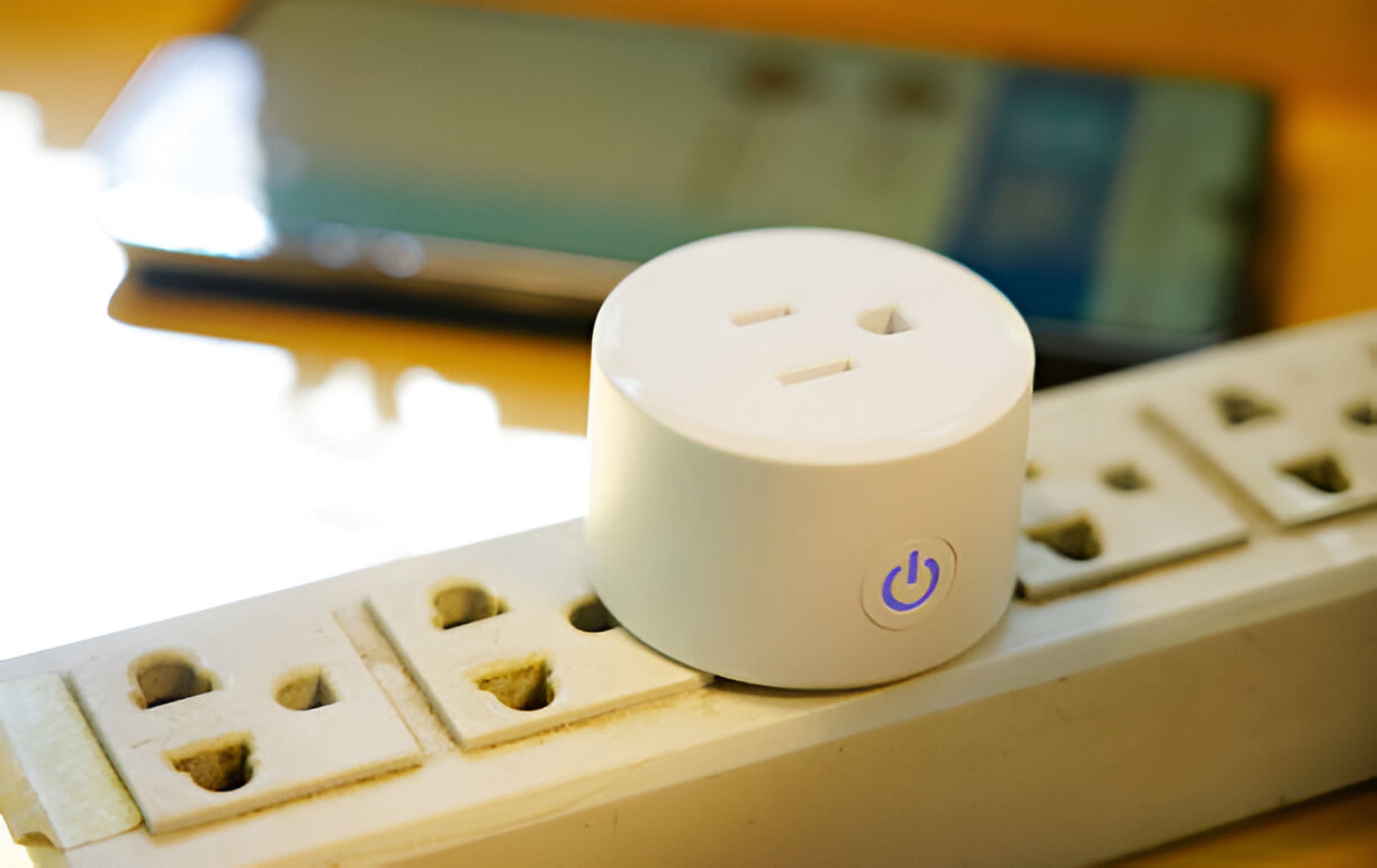
The Core Idea: Instant Smartness for Any Appliance
Think of a smart plug as an intelligent intermediary. Instead of plugging your lamp directly into the wall, you plug it into the smart plug, and then the smart plug goes into the wall. This simple step grants you unprecedented control over that lamp, or any other device. Suddenly, your old fan can respond to your voice, or your holiday lights can turn on and off automatically without you lifting a finger. It’s about convenience, energy management, and peace of mind, all wrapped into a small, elegant package.
Why Wemo? Reliability and Rich Features
While the market is flooded with various smart plugs, the Belkin Wemo smart plug has carved out a strong reputation for several compelling reasons. Belkin, a long-standing name in connectivity and accessories, brings a level of trust and quality to its Wemo line. These plugs are renowned for their straightforward setup, robust Wi-Fi connectivity, and comprehensive compatibility with major smart home ecosystems. What makes a Belkin Wemo smart plug a preferred choice for many is its consistent performance and a feature set that genuinely enhances daily living.
Diving Deep: Key Features of the Belkin Wemo Smart Plug
The capabilities of a Belkin Wemo smart plug extend far beyond mere remote on/off control. They are engineered to integrate seamlessly into your life, offering a suite of features that elevate your smart home experience.
Seamless Wi-Fi Connectivity and No Hub Required
One of the most attractive aspects of the Belkin Wemo smart plug is its independence. Unlike some smart home devices that demand a central hub or bridge to function, Wemo plugs connect directly to your home’s Wi-Fi network. This “no hub required” design means easier setup, fewer devices cluttering your space, and a more streamlined smart home. You simply plug it in, download the Wemo app, and follow a few steps to get connected.
Energy Monitoring: A Smart Way to Save
Many Wemo smart plug models come equipped with an invaluable energy monitoring feature. This isn’t just a gimmick; it’s a powerful tool for understanding and managing your household energy consumption. The Wemo app provides insights into how much power your connected devices are using, allowing you to identify energy vampires – appliances that silently draw power even when turned off. By understanding these patterns, you can make informed decisions to reduce waste and, in turn, lower your electricity bills. It’s a prime example of how a Belkin Wemo smart plug can contribute to both convenience and savings.
Voice Control: Your Command is Wemo’s Wish
In today’s smart homes, voice assistants are king, and the Belkin Wemo smart plug plays well with all the major players. Whether you’re an Amazon Alexa devotee, a Google Assistant enthusiast, or an Apple HomeKit user, Wemo has you covered. Imagine saying, “Hey Google, turn on the living room lights,” or “Alexa, start the fan,” and having your devices respond instantly. This hands-free control adds an incredible layer of convenience, especially when your hands are full, or you’re just too comfortable to reach for your phone.
Scheduling and Away Mode: Convenience and Security
Life gets busy, and remembering to turn things on or off can be a hassle. With the Wemo app, you can easily create custom schedules for your devices. Want your porch light to come on at dusk and turn off at dawn? Done. Need your electric blanket to warm up 15 minutes before your alarm? No problem.
Beyond daily routines, the “Away Mode” feature is a brilliant addition for security. When you’re out of town, Away Mode can randomly turn lights on and off, making it appear as though someone is home. This simple yet effective deterrent can help protect your home from potential intruders, offering peace of mind while you’re away.
Robust Smart Home Ecosystem Integration
The true power of any smart device lies in its ability to work harmoniously with other smart devices and platforms. The Belkin Wemo smart plug excels here, offering broad compatibility that makes it a versatile addition to almost any smart home.
- Amazon Alexa and Google Assistant: As mentioned, Wemo plugs integrate seamlessly, allowing for voice control and inclusion in routines.
- Apple HomeKit: For Apple users, Wemo offers specific HomeKit-enabled plugs, allowing control through the Home app, Siri, and integration into HomeKit scenes and automations.
- IFTTT (If This Then That): For those who love advanced customization, Wemo’s support for IFTTT applets opens up a world of possibilities. You can create complex automations, like having your lights turn on when a specific weather condition is met, or having a device activate when you arrive home.
Getting Started: How to Set Up Your Belkin Wemo Smart Plug
Setting up a Belkin Wemo smart plug is a remarkably straightforward process, designed to be accessible even for those new to smart home technology.
Step-by-Step Installation Guide
- Plug it In: Simply plug your Wemo smart plug into any standard electrical outlet. An LED indicator will typically begin blinking, signaling it’s ready for setup.
- Download the Wemo App: Head to your smartphone’s app store (iOS or Android) and download the official Wemo app.
- Create an Account: If you don’t already have one, you’ll be prompted to create a Wemo account. This allows for remote access and management of your devices.
- Connect to Wi-Fi: The Wemo app will guide you through connecting the plug to your home’s 2.4 GHz Wi-Fi network. Ensure your phone is also connected to this network during the setup process for best results.
- Name Your Plug: Give your Belkin Wemo smart plug a descriptive name (e.g., “Living Room Lamp,” “Coffee Maker”) that’s easy to remember and use with voice commands.
- Start Automating: Once connected, you can immediately begin controlling your device, setting schedules, and exploring other features within the app.
Connecting to Your Smart Home Assistant
After initial setup with the Wemo app, integrating your plug with Alexa, Google Assistant, or HomeKit is usually just a few more steps:
- For Alexa/Google Assistant: Open the Alexa or Google Home app, navigate to the “Devices” or “Works with Google” section, and search for “Wemo.” Enable the Wemo skill/service and link your Wemo account. Your newly named plug should then appear and be controllable via voice.
- For Apple HomeKit: If you have a HomeKit-enabled Wemo plug, simply scan the HomeKit code on the device or its packaging using the Apple Home app, and follow the on-screen instructions.
Mastering Your Belkin Wemo: Tips and Tricks for Maximum Utility
Once your Belkin Wemo smart plug is up and running, you’ll quickly discover that its potential goes far beyond simple on/off commands. Here are some ways to truly maximize its utility.
Creative Uses Beyond Basic On/Off
- Morning Routine Automation: Plug in your coffee maker, toaster, or electric kettle. Schedule them to turn on 10 minutes before your alarm, so breakfast is ready when you are.
- Bedtime Convenience: Connect your bedside lamp, fan, or sound machine. Use a single voice command like “Goodnight” to turn them all off simultaneously.
- Holiday Light Management: Never wrestle with outdoor plugs again. Schedule your indoor and outdoor holiday lights to turn on and off automatically, enhancing curb appeal without the effort.
- Pet Care: Use a smart plug to control a pet water fountain or a slow feeder, ensuring your furry friends are hydrated and fed on schedule, especially when you’re away.
- Charging Station Control: Connect a power strip for charging all your devices. Schedule it to turn off overnight to prevent overcharging and save power.
Troubleshooting Common Issues
While Wemo plugs are generally reliable, sometimes small issues can arise. Here are quick fixes:
- Not Connecting: Ensure your Wi-Fi is 2.4 GHz. Try unplugging and re-plugging the Wemo smart plug to reset it. Make sure your router is within reasonable range.
- Voice Assistant Not Responding: Double-check that the Wemo skill/service is enabled in your Alexa/Google Home app and that your accounts are linked. Ensure the device name is consistent and easy for the assistant to understand.
- Wemo App Issues: Try restarting the app or your phone. If problems persist, a factory reset of the plug (often a small button on the side or bottom) and re-setup might be necessary.
Leveraging Advanced Automations with IFTTT
IFTTT, or “If This Then That,” allows you to create powerful conditional statements. For your Belkin Wemo smart plug, this means:
“If my smart doorbell detects motion, then turn on the living room lamp.”
“If the outdoor temperature drops below 32°F, then turn on the space heater (only with appropriate safety precautions).”
“If my fitness tracker registers I’ve gone to bed, then turn off all lights.”
These custom “applets” can transform how your devices interact, bringing a new level of intelligence and responsiveness to your home.
The Tangible Benefits: Energy Savings, Enhanced Safety, and Ultimate Convenience
The impact of integrating a Belkin Wemo smart plug into your home extends far beyond simple automation. It delivers concrete benefits that improve your quality of life.
Cutting Down on Vampire Power
Many electronics consume a small amount of “standby” or “vampire” power even when turned off. Think of phone chargers, TVs, gaming consoles, and kitchen appliances. These seemingly insignificant trickles of electricity add up, contributing to your overall energy bill. With Wemo’s energy monitoring, you can identify these culprits and use schedules or voice commands to completely cut power to them when not in use. This conscious management can lead to noticeable savings over time.
Peace of Mind with Scheduled Lighting
Security is paramount for any homeowner. The Wemo Away Mode, or even simple scheduling of lights, creates the illusion of occupancy, deterring potential intruders. Furthermore, having lights automatically turn on when you arrive home at night, or guiding you through a dark hallway, enhances personal safety and comfort.
The Sheer Joy of Remote Control
There’s an undeniable satisfaction in being able to control your home environment from anywhere. Forgot to turn off the lights before you left for vacation? No problem, a quick tap on the Wemo app solves it. Heading home and want the fan running or the space heater warmed up before you walk in the door? Effortlessly done. This level of remote access provides unparalleled convenience, adapting your home to your lifestyle, not the other way around.
Expert Insights: What the Pros Say About Belkin Wemo
Smart home technology continues to evolve rapidly, but foundational devices like the Belkin Wemo smart plug remain crucial. According to industry experts, their reliability and broad compatibility are key differentiators.
“The Belkin Wemo smart plug consistently delivers on its promise of making everyday appliances smarter and more efficient,” says Dr. Evelyn Reed, a leading Smart Home Technology Analyst. “Its robust Wi-Fi connectivity and seamless integration with major ecosystems like Apple HomeKit, Alexa, and Google Assistant make it a cornerstone for anyone looking to build a truly interconnected and responsive home. Plus, the energy monitoring feature is a game-changer for conscious consumers.”
This endorsement highlights the Wemo’s position as a trusted and effective solution in the smart plug market.
Conclusion
From transforming mundane lamps into smart, voice-activated luminaries to giving you precise control over your energy consumption, the Belkin Wemo smart plug is a powerhouse of convenience and efficiency. Its easy setup, robust features, and wide compatibility make it an ideal choice for both smart home beginners and seasoned enthusiasts looking to expand their intelligent ecosystems. By embracing the power of Wemo, you’re not just buying a gadget; you’re investing in a smarter, more secure, and more energy-efficient way of living. So, why wait? Plug into the future and discover how a Belkin Wemo smart plug can revolutionize your home today.