Ever wished you could turn off your lights, start your coffee, or power down appliances with just your voice or a tap on your phone, no matter where you are? Welcome to the world of smart living, where the Aoycocr Smart Plug is a simple yet powerful gateway to transforming your ordinary home into an intelligent haven. This little device can revolutionize your daily routines, offering unparalleled convenience, enhanced security, and significant energy savings. If you’re ready to dive into home automation, understanding the Aoycocr Smart Plug is your first smart move.
What is an Aoycocr Smart Plug and Why Are They Important?
At its heart, an Aoycocr Smart Plug is an adapter that fits between your wall outlet and any traditional electrical appliance, instantly making that appliance “smart.” Instead of simply plugging in a lamp or fan, you connect it to an Aoycocr smart plug, which then connects to your home Wi-Fi network. This connection allows you to control the power to that appliance remotely via an app on your smartphone or through voice commands.
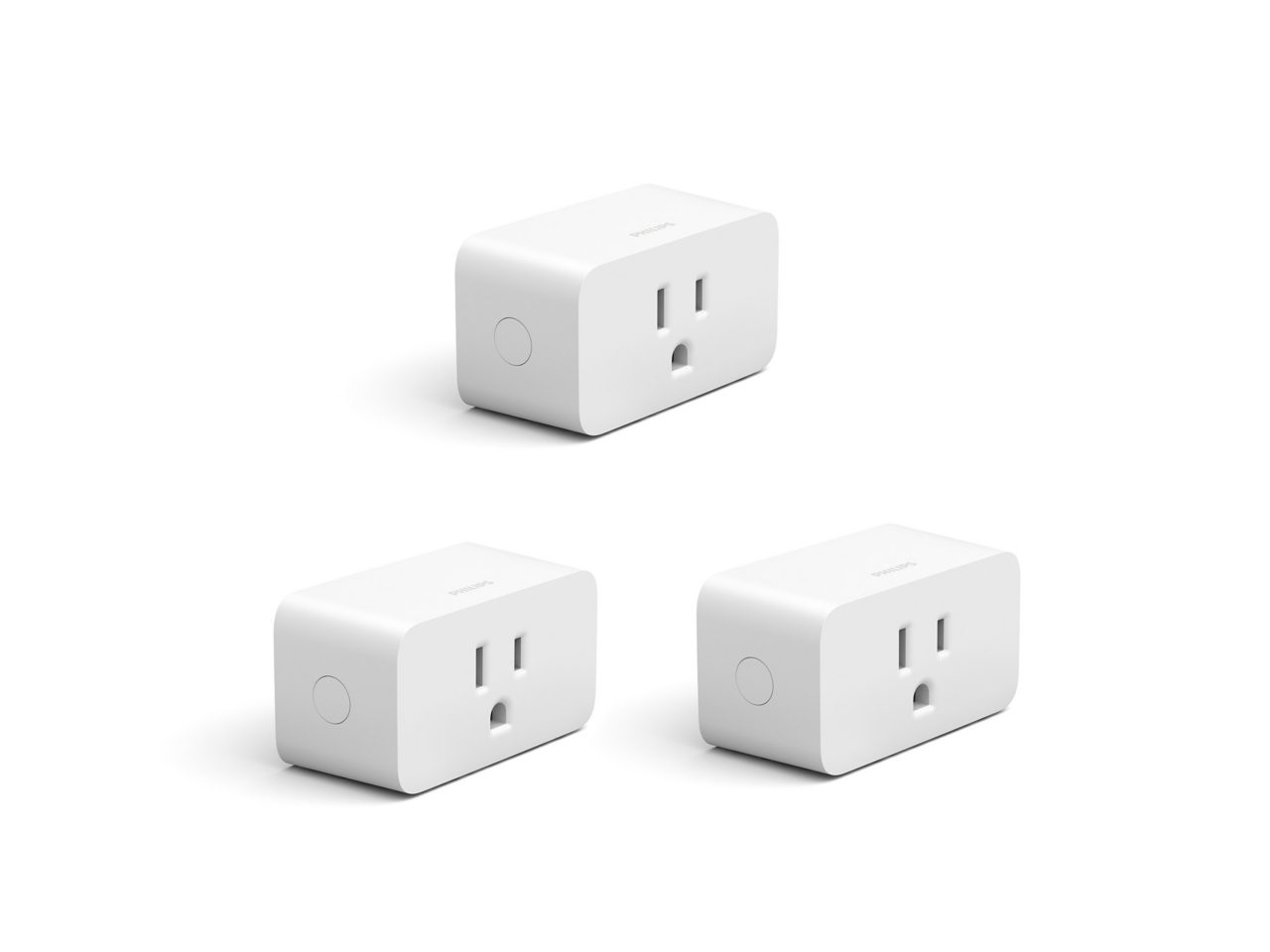
Why are these plugs so important in today’s connected world? They offer an accessible and affordable entry point into smart home technology without requiring complex installations or expensive overhauls. They bring convenience by allowing you to manage devices from anywhere, enhance home security by simulating occupancy, and promote energy efficiency by enabling precise scheduling and, in some models, energy monitoring.
How Aoycocr Smart Plugs Work and What You Need to Get Started
The magic of the Aoycocr Smart Plug lies in its Wi-Fi connectivity. Each plug contains a tiny Wi-Fi module that communicates with your home router. When you send a command from your smartphone app (like “turn off the lamp”), the command travels over the internet to the plug via your Wi-Fi network, executing the action. It’s like having a remote control for every plugged-in device, accessible globally.
To get started on your Aoycocr smart plug journey, you’ll need a few essentials:
- An Aoycocr Smart Plug: Of course! These often come in convenient multi-packs.
- A Smartphone or Tablet: Compatible with iOS or Android to run the control app.
- A 2.4GHz Wi-Fi Network: This is crucial. Aoycocr smart plugs, like many smart home devices, operate exclusively on the 2.4GHz frequency band, not the faster 5GHz band. Ensure your router supports 2.4GHz, which most modern routers do.
- The Smart Life App (or POPOTAN App): This free application is the central hub for managing your Aoycocr smart plugs. Some newer models might also support the POPOTAN app for an even faster Bluetooth-assisted Wi-Fi connection. [cite: 2 (from 2nd search)]
- An Electrical Outlet: A standard wall outlet is all you need!
Setting Up and Using Your Aoycocr Smart Plug: A Step-by-Step Guide
Getting your Aoycocr smart plug up and running is surprisingly straightforward. Here’s how to do it:
1. Install the Smart Life App
First things first, grab your smartphone. Head over to the Apple App Store or Google Play Store, search for “Smart Life,” and download the app. If your Aoycocr smart plug packaging mentions the POPOTAN app, you might want to try that for a potentially quicker setup. [cite: 2 (from 2nd search)]
2. Create an Account
Open the Smart Life app. You’ll need to register for a new account using your email address or phone number, or simply log in if you already have one. This account stores your device settings and allows remote access.
3. Prepare Your Smart Plug
Plug your Aoycocr smart plug into any standard electrical outlet. You should see an LED indicator light on the plug start blinking rapidly. This rapid blinking signifies that the plug is in pairing mode and ready to connect. If it’s not blinking quickly, don’t fret! Just press and hold the power button on the side of the plug for about 5-10 seconds until it starts to blink rapidly.
4. Add the Plug to the App
Now, go back to the Smart Life app. Tap the “plus” (+) icon, usually located in the top right corner, to add a new device. From the list of device types, select “Electrical Outlet” or “Smart Plug,” and then specifically “Socket (Wi-Fi).” The app will then ask you to confirm that the indicator light is blinking rapidly.
5. Connect to Wi-Fi
The app will prompt you to enter your 2.4GHz Wi-Fi network password. Double-check that your phone is connected to the same 2.4GHz network. Once the password is entered, the app will begin the connection process. In a matter of seconds, the indicator light on the plug will turn solid, confirming a successful pairing. You can then rename your Aoycocr smart plug to something memorable, like “Living Room Lamp” or “Coffee Machine,” for easier control.
6. Integrate with Alexa or Google Home (Optional, but Recommended!)
This is where the real fun begins! To enable voice control, you’ll need to link your Smart Life account with your Amazon Alexa or Google Home ecosystem:
- For Alexa: Open your Alexa app, go to “Skills & Games,” search for “Smart Life,” and enable the skill. You’ll be prompted to link your Smart Life account credentials. Once linked, ask Alexa to “Discover Devices.”
- For Google Home: Open your Google Home app, tap the “plus” (+) icon, select “Set up device,” then “Works with Google.” Search for “Smart Life,” link your account, and authorize it.
Once integrated, you can use voice commands like “Alexa, turn on the living room lamp” or “Hey Google, turn off the fan.”
Tips and Tricks to Maximize Your Aoycocr Smart Plug’s Utility
You’ve got your Aoycocr smart plug connected, now let’s unlock its full potential!
- Create Smart Schedules: This is a game-changer. Use the Smart Life app to set daily or weekly schedules for your devices. Imagine your bedroom lamp gently turning on as your alarm goes off, or your holiday lights illuminating automatically at dusk and turning off at bedtime. [cite: 2 (from 1st search), 3 (from 2nd search)]
- Remote Control for Peace of Mind: Forgot to turn off your hair straightener? Want to switch on the porch light before you arrive home? The Aoycocr smart plug allows you to control connected appliances from anywhere using the Smart Life app, provided you have an internet connection. [cite: 2 (from 1st search), 2 (from 2nd search)]
- Group Devices for Unified Control: If you have multiple Aoycocr smart plugs in one area or for a common purpose (like all the lights in your living room), you can group them together in the Smart Life app. This lets you control them all with a single command, either via the app or voice. [cite: 4 (from 1st search), 2 (from 2nd search)]
- Share Control with Family: Don’t hog all the smart home fun! The Smart Life app allows you to share control of your Aoycocr smart plugs with other family members, ensuring everyone can manage the household appliances. [cite: 2 (from 2nd search), 5 (from 1st search)]
Benefits of Aoycocr Smart Plugs: Energy Savings, Safety, and Convenience
Investing in Aoycocr smart plugs brings a trifecta of benefits to your home:
- Effortless Convenience: This is perhaps the most immediate and noticeable advantage. Controlling devices with your voice or a tap from anywhere means no more fumbling for switches in the dark or getting out of bed to turn off a forgotten light. [cite: 3 (from 1st search), 1 (from 2nd search)] “Smart plugs like Aoycocr redefine convenience, turning mundane tasks into seamless interactions,” says Dr. Evelyn Reed, a renowned smart home technology expert.
- Significant Energy Savings: By scheduling devices to turn off when not in use or during peak hours, Aoycocr smart plugs help curb energy waste. Some models even offer energy monitoring features, allowing you to track consumption and identify power-hungry appliances, empowering you to make smarter choices. [cite: 4 (from 1st search)] However, it’s worth noting that not all models include this feature. [cite: 5 (from 1st search)]
- Enhanced Home Safety: Smart plugs add an extra layer of security. You can program lights to turn on and off randomly while you’re away, creating the illusion that someone is home and deterring potential intruders. [cite: 2 (from 1st search)] Moreover, Aoycocr smart plugs are built with safety in mind, featuring ETL/FCC/ROHS certifications, V-0 flame-retardant thermoplastics, and overload protection to prevent electrical hazards. [cite: 3 (from 2nd search)]
Advanced Features and Smart Home Ecosystem Integration
Aoycocr smart plugs are more than just simple on/off switches; they are integral components of a robust smart home ecosystem:
- Voice Control Mastery: Seamless integration with Amazon Alexa and Google Assistant allows for hands-free control, making your home more responsive to your commands. [cite: 2 (from 1st search), 1 (from 2nd search)]
- IFTTT Compatibility: For those who love customization, Aoycocr smart plugs often support IFTTT (If This Then That). This platform allows you to create advanced automation routines, such as turning on your fan when the room temperature exceeds a certain level, or having your lights flash when your favorite team scores.
- Building a Connected Home: Aoycocr smart plugs serve as a foundational element. They work harmoniously with other Smart Life compatible devices, allowing you to build comprehensive scenes and automations. Imagine a “Good Morning” scene that turns on your coffee maker, brightens your bedside lamp, and starts your smart speaker all at once.
Frequently Asked Questions about Aoycocr Smart Plugs
Q1: Do I need a special hub to use an Aoycocr Smart Plug?
No, Aoycocr smart plugs connect directly to your home’s 2.4GHz Wi-Fi network, so no additional hub is required. [cite: 2 (from 1st search), 2 (from 2nd search)]
Q2: Can I control my Aoycocr Smart Plug when I’m away from home?
Absolutely! As long as your smart plug is connected to your home Wi-Fi and your phone has an internet connection (Wi-Fi or mobile data), you can control your devices from anywhere using the Smart Life app. [cite: 2 (from 1st search), 2 (from 2nd search)]
Q3: Why is my Aoycocr Smart Plug not connecting to Wi-Fi?
Ensure your Wi-Fi network is 2.4GHz, as Aoycocr smart plugs do not support 5GHz. Also, check that your phone is connected to the 2.4GHz network during setup, and that the plug’s LED indicator is blinking rapidly in pairing mode.
Q4: Can I use an Aoycocr Smart Plug with any appliance?
Aoycocr smart plugs are suitable for most small to medium appliances like lamps, fans, humidifiers, and chargers. However, they are not ideal for appliances that require a physical button press to resume operation after losing power (e.g., some older coffee makers or complex electronics). Always check the appliance’s wattage to ensure it doesn’t exceed the plug’s maximum load. [cite: 2 (from 1st search), 5 (from 1st search)]
Q5: Can multiple people control the same Aoycocr Smart Plug?
Yes, the Smart Life app allows you to easily share control of individual or grouped Aoycocr smart plugs with family members or housemates. [cite: 2 (from 2nd search)]
Q6: Do Aoycocr Smart Plugs save energy?
Yes, by enabling you to set schedules and turn off devices remotely, Aoycocr smart plugs help prevent energy waste. Some models also offer energy monitoring to help you track consumption. [cite: 4 (from 1st search)]
Q7: What if my smart plug’s indicator light isn’t blinking rapidly?
If the LED light isn’t blinking rapidly, indicating pairing mode, simply press and hold the power button on the side of the Aoycocr smart plug for 5 to 10 seconds until it starts to flash quickly.
Embrace the Future with Aoycocr Smart Plugs
The Aoycocr Smart Plug stands out as an excellent choice for anyone looking to embrace the future of home automation. Their ease of use, robust features, and seamless integration with popular voice assistants make them an invaluable addition to any modern home. From boosting convenience and enhancing security to promoting energy savings, these smart little devices offer a world of possibilities.
So, why wait? Take the leap into smarter living. Pick up an Aoycocr smart plug, follow our simple guide, and start experiencing the effortless control and peace of mind that comes with a truly connected home. Your future smart self will thank you!