In today’s interconnected world, transforming your living space into a smart home is more accessible than ever. At the heart of this revolution lies the humble yet powerful smart plug, and among the pioneers, the Philips Smart Plug carves out a significant niche. This unassuming device is designed to bring intelligence to your everyday lamps and non-smart lighting fixtures, integrating them seamlessly into your existing Philips Hue ecosystem or serving as a perfect starting point for your smart home journey. Imagine dimming a lamp with a simple voice command or having your favorite floor light greet you as you arrive home – that’s the magic a Philips Smart Plug delivers, effortlessly blending convenience with cutting-edge technology.
What Exactly is a Smart Plug and Why Does the Philips Smart Plug Stand Out?
At its core, a smart plug is a simple adapter that fits between your wall outlet and any electrical device, effectively turning that device into a “smart” one. Instead of relying on manual switches, you gain control over it remotely through an app, voice commands, or automated schedules. While many smart plugs exist on the market, the Philips Smart Plug distinguishes itself through its tight integration with the revered Philips Hue lighting system. This means if you’re already a fan of Hue’s vibrant ecosystems, this plug is a natural and intuitive extension, allowing you to manage all your lighting, both smart bulbs and traditional lamps, from one unified app. Its compact, unobtrusive white design ensures it blends discreetly into any room without cluttering your outlets, a thoughtful touch in any modern home. Moreover, it includes a manual power button, providing a convenient physical override when your phone isn’t handy or your internet decides to take a coffee break.
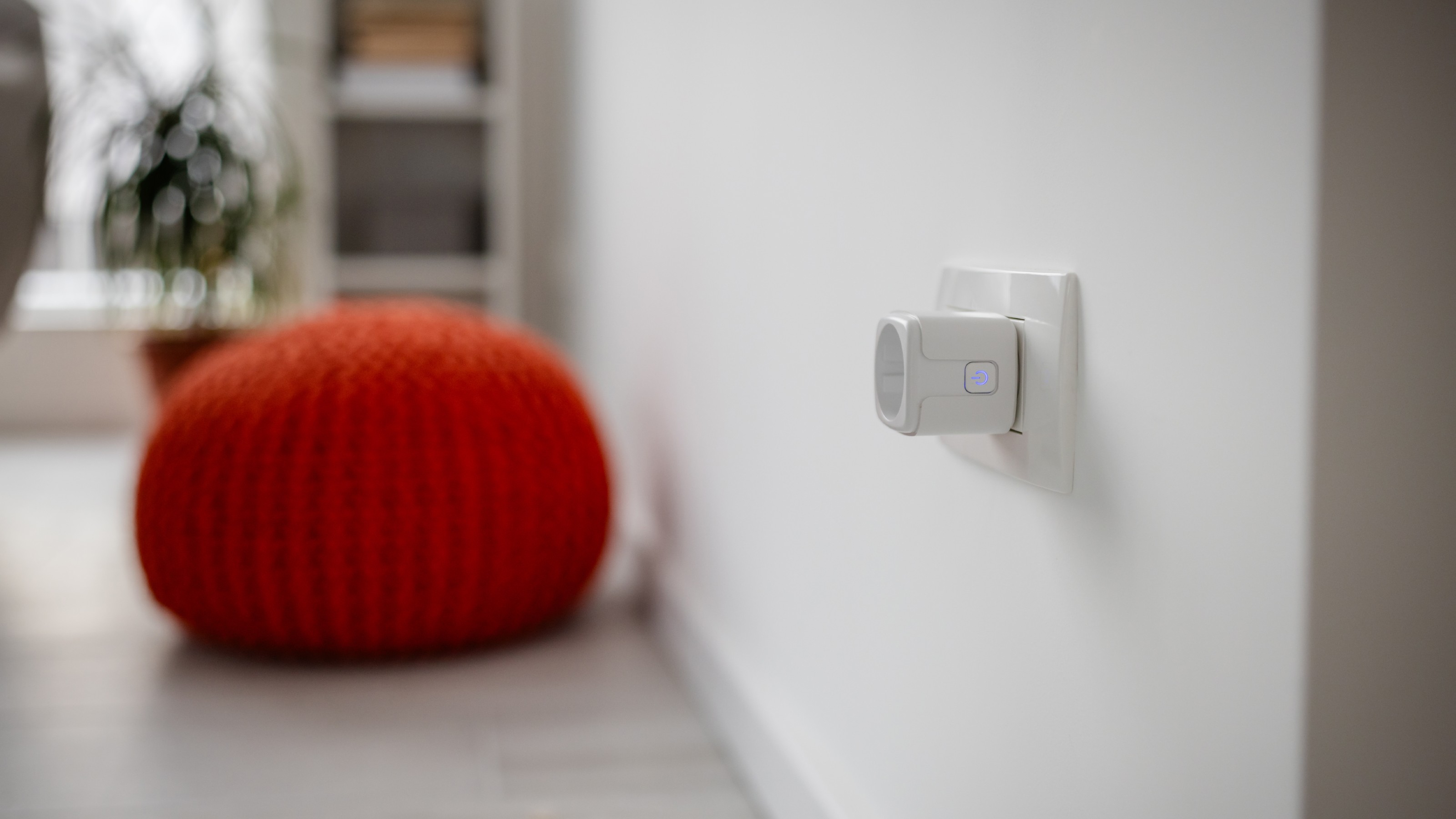
How the Philips Smart Plug Works: Simplicity Meets Innovation
The ingenuity of the Philips Smart Plug lies in its dual connectivity options, offering flexibility for various user needs. Initially, it connects via Bluetooth, which allows for instant, local control directly from your Philips Hue app when you’re within range. Think of it as direct communication between your phone and the plug, perfect for immediate adjustments in a single room.
However, to unlock the full spectrum of its capabilities, including remote control when you’re away from home, advanced automations, and integration with popular smart home platforms, the Philips Smart Plug utilizes the Zigbee protocol, which requires a Philips Hue Bridge. The Hue Bridge acts as the central brain of your smart lighting system, connecting your smart plugs and bulbs to your home network and the internet. This setup enables seamless communication and coordination across all your Hue devices, transforming simple on/off commands into sophisticated routines.
What do you need to get started? Primarily, a smartphone or tablet with the Philips Hue app installed. If you opt for the full experience, a Philips Hue Bridge will be your next essential companion. “The Philips Smart Plug is a game-changer for anyone looking to seamlessly extend their smart lighting experience beyond Hue bulbs. Its robust integration capabilities, especially with the Hue Bridge, transform ordinary lamps into intelligent fixtures, truly simplifying daily routines,” notes Dr. Elena Petrova, Lead Smart Home Architect at TechInnovate Solutions.
Setting Up Your Philips Smart Plug: A Step-by-Step Guide
Getting your Philips Smart Plug up and running is surprisingly straightforward, whether you’re starting with just Bluetooth or integrating it into an existing Hue Bridge setup. Here’s how to do it:
Easy Setup without a Hue Bridge (Bluetooth)
If you’re dipping your toes into smart home technology or just want basic control within your home, Bluetooth is your friend.
- Plug In: Insert your Philips Smart Plug into any standard wall electrical socket.
- Enable Bluetooth: Make sure Bluetooth is turned on on your smartphone or tablet.
- Open the Hue App: Launch the Philips Hue app on your device.
- Add Accessory: Navigate to the “Settings” tab, then tap on “Devices” (or look for the blue plus (+) icon to add a new device).
- Scan and Follow: The app will prompt you to scan the QR code located on your smart plug. If there’s no QR code, you can search for it or enter its serial number. Follow the on-screen instructions to complete the setup.
Unlocking Full Potential with a Hue Bridge
For those who want to command their lights from anywhere in the world and enjoy advanced features, connecting to a Hue Bridge is the way to go.
- Ensure Bridge Connection: Make sure your Philips Hue Bridge is connected to your router and already added to your Hue app.
- Plug In: Plug in your Philips Smart Plug into a wall outlet.
- Open the Hue App: Open the Philips Hue app.
- Add Device: Go to “Settings” > “Accessories” (or “Devices”) > “Add accessory”. Select “Hue Smart Plug” and the app will guide you through the discovery process. If it doesn’t appear immediately, you might need to manually search or input the serial number found on the plug itself.
Once successfully paired, the plug will respond to commands from the app. You’ll also notice a tiny LED indicator on the plug itself: green usually means it’s on, red means off, and a flashing light indicates setup mode. Don’t forget the manual button on the side – a quick press turns the attached device on or off, and holding it for about 10 seconds typically initiates a reset.
Maximizing Your Philips Smart Plug: Tips, Tricks, and Smart Habits
Once your Philips Smart Plug is set up, a world of intelligent control opens up. Here are some pro tips to get the most out of your smart companion:
Scheduling and Routines
One of the most practical applications is setting up schedules. Whether it’s your bedside lamp turning on to gently wake you up or your living room lights activating as the sun sets, routines make life easier. The Philips Hue app allows you to create custom schedules for specific times, sunrise, or sunset, ensuring your home is illuminated exactly when you need it. This isn’t just about convenience; it can also contribute to a sense of security and even better sleep patterns.
Voice Control at Your Command
Connecting your Philips Smart Plug to voice assistants like Amazon Alexa, Google Assistant, or Apple Siri (which typically requires the Hue Bridge for full functionality) adds an incredible layer of hands-free control. Imagine walking into a room with your hands full and simply saying, “Hey Google, turn on the floor lamp,” or “Alexa, activate living room lights.” It feels like living in the future, doesn’t it? This integration lets you manage your lights with ease, becoming an integral part of your smart home dialogue.
Geofencing for Effortless Automation
With the Hue Bridge, you can enable geofencing features through the Hue app. This allows your Philips Smart Plug to trigger actions based on your physical location. For instance, your entryway lamp could automatically switch on as you pull into your driveway, providing a warm welcome home. Conversely, it can ensure lights turn off when you leave, preventing unnecessary energy consumption.
Important Limitations to Keep in Mind
While highly versatile for lighting, it’s crucial to understand what the Philips Smart Plug doesn’t do. Firstly, it lacks energy monitoring capabilities. So, if tracking electricity consumption is a priority, you might need a different type of smart plug. Secondly, it’s primarily designed for lighting and light-duty appliances, not for high-power devices like heaters, washing machines, or microwaves. Always check the maximum wattage and current ratings. Lastly, the Philips Smart Plug is an on/off switch; it does not offer dimming functionality for non-smart lights. For dimming, you’d typically need a Philips Hue smart bulb or a dedicated smart dimmer switch.
The Undeniable Benefits of the Philips Smart Plug
Investing in a Philips Smart Plug brings a host of advantages that elevate your home living experience, extending far beyond simple on/off control.
Unparalleled Convenience
The most immediate benefit is the sheer convenience it offers. With a Philips Smart Plug, you can control any connected light from virtually anywhere in your home via Bluetooth, or anywhere in the world with a Hue Bridge. Forgot to turn off the bedroom light? No problem, just open your app. Want to turn on the porch light before you get home? A tap on your phone does the trick. This effortless control puts smart living right at your fingertips.
Smart Energy Saving Habits
While the Philips Smart Plug doesn’t actively monitor energy, it empowers you to be more energy-conscious. By enabling schedules and remote control, you can ensure lights are only on when truly needed, reducing unnecessary “vampire” power drain from standby devices and contributing to lower electricity bills. Setting lights to switch off automatically after a certain time or when you leave the house is a simple yet effective way to save energy.
Enhanced Home Security
A smart home is a secure home, and the Philips Smart Plug plays a subtle yet important role in this. When you’re away on vacation, you can program your lights to turn on and off at random intervals, mimicking occupancy. This “presence simulation” can act as a deterrent to potential intruders, making it seem like someone is always home.
Seamless Ecosystem Integration
For anyone already invested in the Philips Hue ecosystem, this smart plug is a natural extension. It allows you to bring traditional lamps and light fixtures into your existing Hue scenes and automations, providing a unified and cohesive smart lighting experience. This means no more juggling multiple apps for different smart devices; everything works together harmoniously within the familiar Philips Hue interface.
Integrating with Your Smart Home Ecosystem: Beyond the Basics
The true power of the Philips Smart Plug shines brightest when integrated into a larger smart home ecosystem. Beyond the native Philips Hue app, it seamlessly connects with major platforms, offering a truly interconnected experience.
With a Philips Hue Bridge, your Philips Smart Plug becomes fully compatible with Apple HomeKit, allowing iPhone users to control their lights through the Home app and Siri voice commands. Similarly, it integrates effortlessly with Amazon Alexa and Google Assistant, enabling voice control through smart speakers like the Echo and Google Nest devices. This broad compatibility means your Philips Smart Plug can participate in complex automations alongside other smart devices, regardless of brand. Imagine a “good night” routine that not only turns off your Hue bulbs but also switches off the lamp connected to your smart plug and locks your smart doors. For even more intricate, customized automations, the plug’s compatibility with IFTTT (If This Then That) allows you to create highly personalized rules that trigger actions based on various conditions, further extending its utility within your connected home (again, requiring the Hue Bridge). This level of integration ensures that the Philips Smart Plug isn’t just a standalone gadget, but a vital component of a truly intelligent living environment.
Frequently Asked Questions about Philips Smart Plugs
Navigating the world of smart home devices can sometimes raise a few questions. Here are some of the most common inquiries about the Philips Smart Plug:
Q: Do I need a Philips Hue Bridge to use the Philips Smart Plug?
A: Not necessarily for basic, local control. You can control the plug directly via Bluetooth using the Philips Hue app when you’re within range. However, for remote control, advanced automations, geofencing, and integration with voice assistants like Alexa, Google Assistant, or Apple HomeKit, a Philips Hue Bridge is required.
Q: Can the Philips Smart Plug monitor energy consumption?
A: No, the Philips Smart Plug does not have built-in energy monitoring capabilities. If tracking electricity usage is important to you, you may need to consider other smart plug options that offer this feature.
Q: Can I use the Philips Smart Plug with any appliance?
A: The Philips Smart Plug is primarily designed for lamps and light-duty appliances. It’s generally not recommended for high-power devices such as heaters, air conditioners, or washing machines. Always check the product specifications for maximum wattage and current ratings to ensure safe usage.
Q: Is the Philips Smart Plug a dimmer?
A: No, the Philips Smart Plug acts as an on/off switch only. It cannot dim the lights or appliances connected to it. If you need dimming functionality, you would typically use a Philips Hue smart bulb or a dedicated smart dimmer switch.
Q: How do I reset my Philips Smart Plug?
A: To reset your Philips Smart Plug, simply press and hold the manual power button on the plug for approximately 10 seconds. You should see an LED indicator flash, signaling that the plug has been reset and is ready for a new setup.
Conclusion
The Philips Smart Plug truly stands out as an essential component for any modern smart home, especially for those who cherish the convenience and seamless integration of the Philips Hue ecosystem. It bridges the gap between your beloved traditional lamps and the cutting-edge world of smart lighting, allowing you to control any light with the tap of an app, the sound of your voice, or through automated schedules. While it shines brightest when paired with a Hue Bridge, unlocking global control and advanced features, its compact design and straightforward setup make it a versatile addition to any home. Embrace the simplicity, enhance your home’s security, and effortlessly manage your lighting – the Philips Smart Plug is more than just an accessory; it’s a stepping stone to a smarter, more connected life. Don’t wait to experience the magic; integrate a Philips Smart Plug into your home today and redefine convenience!