In the ever-evolving world of smart home technology, smart plugs have emerged as a cornerstone, transforming ordinary appliances into intelligent, remotely controllable devices. For years, the 2.4 GHz Wi-Fi band has been the go-to for these convenient gadgets, a choice driven by its impressive range and ability to penetrate walls. But with the rise of faster 5 GHz networks, a new question has surfaced: what about 5 GHz smart plugs? Are they the future, or just a sophisticated myth?
This article dives deep into the landscape of 5 GHz smart plugs, separating marketing buzz from practical reality. We’ll explore why most smart plugs still rely on 2.4 GHz, reveal the rare few that embrace the 5 GHz band, and provide you with a definitive guide to making the smartest choice for your connected home.
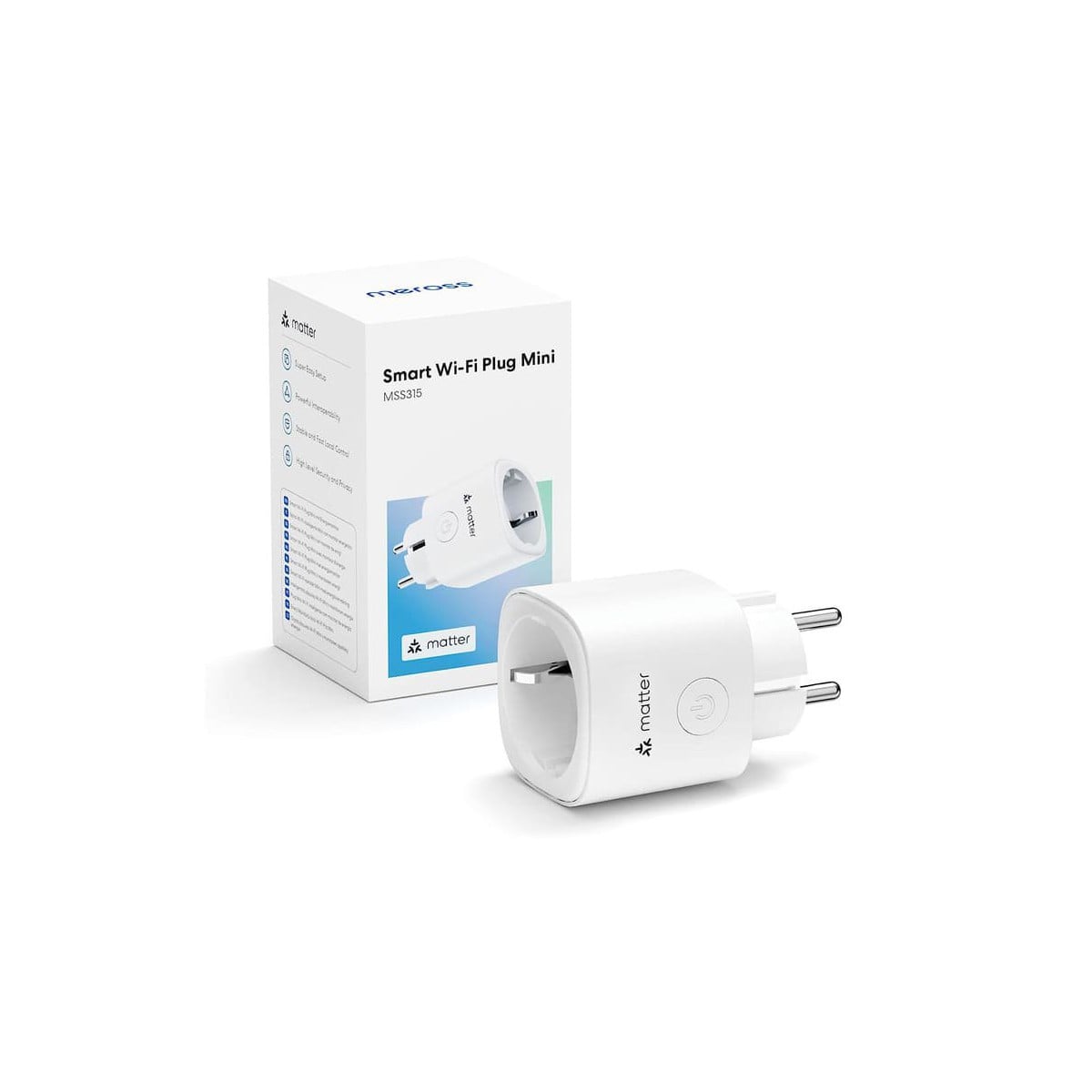
What Exactly is a Smart Plug and Why Do We Love Them?
At its core, a smart plug is a simple device that plugs into a standard electrical outlet, allowing you to remotely control whatever is plugged into it. Think of it as a bridge between your “dumb” appliances—like lamps, fans, or coffee makers—and your smart home ecosystem. With a smart plug, you can turn devices on or off from your smartphone, set schedules, or even integrate them into automated routines with voice commands through assistants like Alexa or Google Assistant.
The allure is clear: smart plugs offer unparalleled convenience, energy savings by easily switching off idle electronics, and enhanced safety by providing remote control over appliances. They are often the first step many homeowners take into the smart home world due to their affordability and ease of use. For basic functionality, like toggling power or setting a timer, the data requirements are minimal, a key factor in understanding their Wi-Fi preferences.
The Wi-Fi Frequencies Explained: 2.4 GHz vs. 5 GHz
To understand 5 GHz smart plugs, it’s crucial to grasp the fundamental differences between the two primary Wi-Fi frequency bands: 2.4 GHz and 5 GHz. Both serve the purpose of connecting your devices to the internet, but they do so with distinct characteristics.
| Feature | 2.4 GHz Wi-Fi | 5 GHz Wi-Fi |
|---|---|---|
| Range | Longer, better for larger homes | Shorter, ideal for smaller areas/apartments |
| Wall Penetration | Excellent, passes through obstacles easily | Poor, struggles with walls and obstructions |
| Speed | Slower maximum speeds | Faster maximum speeds |
| Interference | More susceptible (microwaves, Bluetooth) | Less susceptible, more non-overlapping channels |
| Congestion | More crowded, fewer non-overlapping channels | Less crowded, more non-overlapping channels |
Historically, most smart home devices, including smart plugs, have gravitated towards the 2.4 GHz band. This isn’t an oversight; it’s a deliberate choice. The longer range and superior wall-penetrating capabilities of 2.4 GHz signals make it a more reliable option for devices scattered throughout a typical home. Imagine a smart plug in your living room controlling a lamp, while your router is tucked away in a study. A 2.4 GHz signal is far more likely to maintain a stable connection through walls and furniture.
Unveiling the Enigma: Do 5 GHz Smart Plugs Truly Exist?
Here’s where the plot thickens. While “5 GHz smart plug” is a term you might encounter, actual smart plugs that exclusively operate on the 5 GHz band are exceedingly rare. Many products marketed as “5 GHz compatible” are actually dual-band plugs, meaning they can connect to either 2.4 GHz or 5 GHz networks. However, some brands have been called out for using “5 GHz compatible” as marketing hype, implying compatibility with dual-band routers rather than true 5 GHz operation.
One of the few brands that genuinely offers dual-band (2.4 GHz and 5 GHz) smart plugs is Eightree. Their plugs are noted for their true dual-band connectivity and ability to handle typical household loads. Another mentioned option is the Broadlink SP4D-US, though it’s important to note that its 5 GHz support might be limited to older 802.11n Wi-Fi standards, which could pose compatibility issues with newer routers requiring 802.11ac for their 5 GHz connections. Even the Leviton DW15P-1BW has been cited as one of the rare plugs capable of truly running on the 5 GHz band.
The scarcity of dedicated 5 GHz smart plugs leads us to an important question: why the overwhelming dominance of 2.4 GHz in this product category?
The “Why” Behind the 2.4 GHz Dominance
The reasons for the widespread use of 2.4 GHz in smart plugs are both practical and economical:
- Cost-Effectiveness: Manufacturing chipsets that support only 2.4 GHz is significantly cheaper than those offering dual-band capabilities. In a competitive market where smart plugs are often impulse buys, keeping costs down is paramount.
- Range and Reliability: As discussed, 2.4 GHz signals travel farther and penetrate obstacles more effectively. This ensures a more reliable connection for smart plugs, which are often placed in various locations throughout a home, far from the central router.
- Minimal Bandwidth Needs: Smart plugs don’t stream video, handle large data transfers, or require lightning-fast response times for complex computations. Their primary function—toggling power—requires very little bandwidth. The “faster speed” of 5 GHz offers no tangible benefit for such simple tasks.
|
Our Picks for the Best Smart Plug in 2026
As an Amazon Associate I earn from qualifying purchases.
|
||
| Num | Product | Action |
|---|---|---|
| 1 | Kasa Smart Plug HS103P2, Smart Home Wi-Fi Outlet Works with Alexa, Echo, Google Home & IFTTT, No Hub Required, Remote Control,15 Amp,UL Certified, (Pack of 2) White |

|
| 2 | Kasa Matter Smart Plug w/ Energy Monitoring, Compact Design, 15A/1800W Max, Super Easy Setup, Works with Apple Home, Alexa & Google Home, UL Certified, 2.4G Wi-Fi Only, White, KP125M (4-Pack) |
|
| 3 | Kasa Smart Plug Ultra Mini 15A, Smart Home Wi-Fi Outlet Works with Alexa, Google Home & IFTTT, No Hub Required, UL Certified, 2.4G WiFi Only, 1-Pack(EP10), White |
|
| 4 | Kasa Smart Plug HS103P3, Smart Home Wi-Fi Outlet Works with Alexa, Echo, Google Home & IFTTT, No Hub Required, Remote Control,15 Amp,UL Certified, White, 3 Count (Pack of 1) |
|
| 5 | Kasa Smart Plug HS103P4, Smart Home Wi-Fi Outlet Works with Alexa, Echo, Google Home & IFTTT, No Hub Required, Remote Control, 15 Amp, UL Certified, 4-Pack, White |
|
| 6 | Kasa Smart Plug Mini 15A, Smart Home Wi-Fi Outlet Works with Alexa, Google Home & IFTTT, No Hub Required, UL Certified, 2.4G WiFi Only, 4-Pack(EP10P4) , White |
|
| 7 | Amazon Smart Plug - Works with Alexa - Simple setup, endless possibilities |
|
| 8 | Sense Energy Monitor - Track Electricity Usage in Real Time and Save Money - Meets Rigorous ETL/Intertek Safety Standards |
|
| 9 | GHome Smart Plug, WiFi Smart Plugs Work with Alexa and Google Home, Smart Outlet Timer with APP Remote Control, 2.4GHz Wi-Fi Only, No Hub Required, ETL FCC Listed |
|
| 10 | Kasa Smart Plug Ultra Mini 15A, Smart Home Wi-Fi Outlet Works with Alexa, Google Home & IFTTT, No Hub Required, UL Certified, 2.4G WiFi Only, 2 Count (Pack of 1)(EP10P2) , White |
|
As Zachary Kann, founder of Smart Geek Home, notes, “Smart plugs don’t require a lot of bandwidth for their operation. That extra speed only really matters if you plan to run a lot of devices on the same network that truly need high bandwidth. For most smart plugs, 2.4 GHz is perfectly sufficient, offering the range and stability they need without unnecessary complexity.”
How a Dual-Band 5 GHz Smart Plug Works and What You Need to Get Started
For the few dual-band 5 GHz smart plugs available, their operation is designed to offer flexibility. These plugs contain chipsets capable of communicating on both the 2.4 GHz and 5 GHz Wi-Fi bands. This means they can theoretically connect to whichever band your router broadcasts.
To get started, you’ll generally need:
- A Dual-Band Wi-Fi Router: Most modern routers support both 2.4 GHz and 5 GHz. Check your router’s label or settings.
- A Smartphone or Tablet: To download the accompanying app (e.g., Smart Life for Eightree plugs).
- A Stable Internet Connection: Essential for initial setup and remote control.
- Bluetooth (Optional, but Recommended): Some plugs use Bluetooth for a quick and easy initial pairing process before connecting to Wi-Fi.
The true utility of a dual-band smart plug often comes into play if your router has “band steering” functionality. This feature attempts to automatically direct devices to the optimal Wi-Fi band. However, sometimes this can lead to issues with 2.4 GHz-only devices trying to connect to 5 GHz. A dual-band smart plug theoretically mitigates such problems by being able to connect to either.
Setting Up Your 5 GHz (or Dual-Band) Smart Plug: A Simple Guide
Setting up a dual-band smart plug is usually a straightforward process, similar to setting up any other smart home device.
- Plug it In: Insert your smart plug into the electrical outlet you intend to use. The indicator light will typically start blinking, signaling it’s in pairing mode.
- Download the App: Install the manufacturer’s recommended app (e.g., Smart Life) on your smartphone or tablet.
- Ensure Your Phone is on the Correct Network: This is a crucial step for some dual-band plugs. If you intend to connect the plug to the 5 GHz band, ensure your phone is also connected to your router’s 5 GHz network during the setup process. Similarly, for 2.4 GHz, connect your phone to that band.
- Open the App and Add Device: The app will usually auto-detect the new smart plug or guide you through a simple “Add Device” process.
- Connect to Wi-Fi: Select your desired Wi-Fi network (either 2.4 GHz or 5 GHz if both are broadcast with different SSIDs, or rely on band steering if using a unified SSID) and enter your Wi-Fi password.
- Name Your Plug: Give your smart plug a recognizable name (e.g., “Living Room Lamp,” “Coffee Machine”).
- Integrate with Voice Assistants: Follow the app’s instructions to link your smart plug to Amazon Alexa, Google Assistant, or other smart home platforms for voice control.
A stable Wi-Fi connection is paramount for reliable smart plug performance. If you encounter issues, ensure your router is within a reasonable range and that there isn’t excessive interference.
Maximizing Your Smart Plug Experience: Tips and Tricks
Once set up, smart plugs offer a wealth of possibilities to enhance your home.
- Smart Scheduling: Automate daily routines. Have your coffee maker start brewing before you wake up, or lights turn on automatically at sunset.
- Voice Control: Seamlessly control appliances with simple commands to Alexa or Google Assistant. “Hey Google, turn off the fan.”
- Energy Monitoring: Many smart plugs offer energy monitoring features, allowing you to track power consumption and identify energy-hungry devices. This data can help you make informed decisions to save money on your electricity bill.
- Automation Routines: Create complex routines within your smart home app. For example, when you leave home, all smart plugs connected to lights automatically switch off.
- Strategic Placement: While 2.4 GHz offers better range, for any dual-band smart plug, ensure it’s not positioned in a Wi-Fi dead zone, especially if you’re trying to leverage the 5 GHz band for a specific reason.
Beyond Speed: Real Benefits of a Modern Smart Plug
While 5 GHz compatibility might not be a game-changer for smart plugs, the core benefits of smart plugs themselves remain highly valuable:
- Energy Efficiency: Easily turn off electronics that consume standby power (“vampire drain”), leading to noticeable savings on your utility bills.
- Enhanced Home Safety: Schedule lights to turn on and off while you’re away to simulate occupancy, or remotely switch off forgotten appliances like curling irons or heaters, preventing potential hazards.
- Unparalleled Convenience: Control your home from anywhere, whether you’re on the couch or across the globe. Arrive home to a perfectly lit house or enjoy a refreshing fan on a hot day, activated before you even walk through the door.
Advanced Features and Smart Home Ecosystem Integration
Modern smart plugs go beyond basic on/off functions. Many integrate deeply into broader smart home ecosystems, supporting platforms like Samsung SmartThings and IFTTT (If This Then That), allowing for sophisticated cross-device automation.
For users consistently struggling with Wi-Fi connectivity for numerous smart devices, it’s worth exploring alternative communication protocols like Zigbee, Z-Wave, or Thread. These create their own dedicated mesh networks, often proving more reliable and less susceptible to Wi-Fi congestion. Devices like the Amazon Echo (4th Gen and newer) or Philips Hue Bridge can act as hubs for Zigbee devices, while Google Nest Wi-Fi routers or Nest Hub Max can serve as Thread border routers, offering a robust foundation for your smart home without relying heavily on your primary Wi-Fi for every device.
“The true evolution of smart plugs isn’t about higher Wi-Fi speeds, but seamless integration and a diverse ecosystem,” explains Anya Sharma, a leading smart home technology analyst. “Whether it’s optimizing energy use, enhancing security, or simply making life easier, smart plugs deliver immense value. For those facing Wi-Fi challenges, exploring alternative protocols like Zigbee or Thread often provides a more robust and future-proof solution than chasing elusive 5 GHz Wi-Fi plugs.”
Frequently Asked Questions (FAQ)
Q: Is 5 GHz faster for smart plugs?
A: While 5 GHz Wi-Fi offers faster data speeds generally, this speed advantage provides no functional benefit for smart plugs, which require very little bandwidth for their basic on/off commands and status updates.
Q: Can I connect a 2.4 GHz smart plug to a 5 GHz router?
A: Yes, if your router is a dual-band router (which most modern routers are), it broadcasts both 2.4 GHz and 5 GHz networks. A 2.4 GHz smart plug will simply connect to the 2.4 GHz band offered by your dual-band router.
Q: What if my router has only one Wi-Fi name for both bands?
A: Routers with a single SSID (Wi-Fi network name) for both 2.4 GHz and 5 GHz bands typically use “band steering” to guide devices to the appropriate band. Most 2.4 GHz smart plugs will automatically connect to the 2.4 GHz band in such a setup. If you have a dual-band smart plug, it should also automatically choose the best available band, though some setups might require you to temporarily disable 5 GHz on your router during initial pairing.
Q: Are there any downsides to using a 5 GHz smart plug?
A: The main downside is that 5 GHz signals have a shorter range and poorer wall penetration compared to 2.4 GHz. This means a 5 GHz smart plug might struggle to maintain a stable connection if it’s far from your router or has many obstacles in between. For most use cases, the faster speed is also unnecessary.
Q: What are the best 5 GHz smart plugs available?
A: True 5 GHz-only smart plugs are rare. Dual-band (2.4 GHz and 5 GHz) options like the Eightree smart plugs are generally considered among the top choices for those seeking 5 GHz compatibility. However, many experts recommend focusing on reliable 2.4 GHz plugs or alternative protocols if Wi-Fi stability is a concern.
Conclusion
The pursuit of a 5 GHz smart plug often stems from a desire for the fastest, most advanced technology. However, when it comes to smart plugs, the reality is that the benefits of 5 GHz Wi-Fi are largely negligible for their primary functions. The 2.4 GHz band continues to be the workhorse for smart plugs, offering the crucial combination of range, wall penetration, and cost-effectiveness that makes these devices so accessible and reliable.
While a few dual-band 5 GHz smart plugs exist to cater to specific networking scenarios or personal preferences, for most homeowners, a high-quality 2.4 GHz smart plug will deliver the same, if not better, performance and reliability due to its superior range. As you continue to build your smart home, remember that true innovation in this space often lies not in raw speed, but in seamless integration, robust connectivity, and the meaningful enhancements they bring to your daily life. Explore the possibilities, experiment with automation, and let your smart home evolve with intelligence, not just frequency.